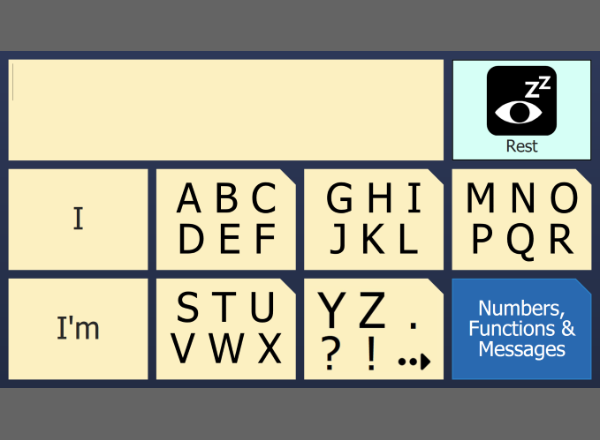
4 x 4 vocabulary designed for dynamic access users such as eye gaze, head pointer and touchscreen users FEATURES: jumps (links) to core vocabulary and starters words in centre column workspace in central row simple colour coding system to aid eye gaze use
This is set of 4x2 grids which allows the user to communicate about a range of everyday events and topics, with a minimal number of selections. The program fills in the additional vocabulary so that what is spoken is usually a normal complete sentence. Probably most suited to teenagers / adults.
The 9 cell access is helpful to people who work more easily with a small number of cells. For an eye gaze user or a touch screen user, this simply means fewer and larger cells. For a switch user, scanning a grid of 9 cells twice gives access to 81 cells in a much shorter scanning time. The StarTalker functions are all included: text communication, email, SMS, web browsing, word processing, media player and address book.
These grids were originally conceived to be used by Registered Intermediaries working with witnesses in police interviews and in court. However they have a much wider application for use in schools and care environments and are useful for describing people as well as events. Each grid is laid as simply as possible. The symbols used are Widgit Literacy Symbols.
Animal Matching is a simple game where the user has to match the picture to one of the three choices below. Folly Farm grids are a group of grid sets that contain some simple educational games. They are mainly designed to help motivate the user, so they can get use to their form of access may it be switch, eye gaze, head pointer or direct access. Please feel free to edit this grid set so that you have pictures and sounds in the grid that will motivate the user. Anything from pictures of their friends and family; to their favorite football team. Pictures have been kindly supplied by Folly Farm in Pembrokeshire which has a friendly farmyard, zoo, vintage funfair and an imaginative range of adventure play. For more details please go to http://www.folly-farm.co.uk/ These grid sets will only work with version 2.0.4 and above.
A grid bundle of a variety of different keyboards to help people assess which keyboard the user would prefer. In here is ABC keyboards, Frequency keyboards for touch screen and switch users, QWERTY keyboards, and a two hit 6 cell and 8 cell grid.
A chat keyboard with prediction and some phrase banks. The phrases are organised into a small selection of catagories, most of which have some pre-programmed phrases. phrases can be added and editted by the by the user.
For people who like to talk. Eye gaze version of the Standard UK Grid set.
Exactly the same as the Widgit symbol version, but with PCS symbols.
Dynamic Screen Starter is a simple communication vocabulary for symbol users. These grids provide a structured starting point for developing a larger, personalised communication system. Adapted to include key Eye gaze features
Dynamic Screen Starter is a simple communication vocabulary for symbol users. These grids provide a structured starting point for developing a larger, personalised communication system. They have been adapted to include key eye gaze support features
This Grid set has been designed as a plug in to provide support for mouse use with either eye gaze or head pointer.
This user has been designed with an eyegaze user in mind, to try and make access easier. The vocabulary has been broken up into 4 groups when a user picks a certain group they will then jump to a page that will have that vocabulary on. These bigger cells allow easier access for an eyegaze user whilst still allowing them on them home page to see their 64 most common words. The wordlist can be changed to do this go to the 'Home Grid template' grid and go to 'Auto Content' 'Word list for this grid'. You can then edit the word list to suit your needs. Once you have completed your changes go to 'File' 'Save Picture of Grid' (make sure you are in user mode). Then go back to your 'Home Grid' and select 'Edit grid settings' click on 'Browse For Picture' and select the picture you have just saved, click on OK and now you have your new vocabulary. It might sound complicated but once you try it you will see how easy it really is.
Grid designed for MyTobii user who can only access one column positioned slightly off centre. Could be used as basis for other single column grids. From Zoe Robertson
Grid set up for MyTobii user who can only access four rows in a single column and needed workspace to be visible in the column. Could be used as the basis for other four cell grids. From Zoe Robertson
Grid set up for MyTobii user who can only access four rows in a single column and could manage with workspace on left. Could be used as the basis for other four cell grids. From Zoe Robertson
This Grid set is designed around a background picture of a bedroom. The user has to identify and select items found in the room. Hotspots are created with transparent cells. It makes use of commands that generate a random question followed by a response based upon selection. Commands can be found in the Startup commands, the Grid settings and on the cells themselves
This is a 4 x 4 grid to practice eye control. The aim is to put a nose on the face with the cursor. From COGAIN
This is an introductory activity to practice eye control. This shopping grid has one active cell to turn the page. From COGAIN.
This grid contains musical and film content for eye control practice. From COGAIN
This Grid bundle is used by Katherine who is in primary school. She uses a Tobii P10 for computer access, though can also use a head switch some times as well. Katherine usually uses a qwerty based keyboard which started life as Star-talker, though has been tweaked! Katherine needs cells to be as large as possible, and has a "Friday afternoon keyboard" when she is tired. This is based upon the Key 8 keyboard written by Marion Stanton. She is also using some word lists for some of her curriculum topics.
This grid set is designed to help users navigate the electronic books provided through the free Kindle for PC application. This can be downloaded via Amazon and complements their popular E-Book Reader. books must first be downloaded (pay for, free samples, or free out of copyright books) via the Amazon Kindle website or a number of other sites that can also provide content. This version of the grid set supports version 1.6.1. WARNING please note that Kindle does tend to update regularly and in the past the keyboard shorcuts and program location (where the program installs to) have changed. This would then mean that some minor changes would be required in the Grid. It is possible to turn off the Kindle Automatic updates in; Tools/Options/General and turn off automatic updates.
A simple game based on 'Who Wants to be a Millionaire'. The cells are nice and big to make it easier to access for Eye Gaze Users.
This single grid demonstrated a new Photo Viewer workspace introduced in version 2.8 of the Grid and can be added to any grid set. The "set photo folder" location may need to be changed for your computer. Go to Edit mode>edit Grid settings>commands to change this.
This is a grid which allows you to play different drum beats. When you select each cell it puts the sound clip into the workspace allowing you to play a sequence when you press the speak cell. Let's make some noise!
PragTalk is a different approach to vocabulary, intended for very young children. Start by selecting 'good' or 'bad' things to say, and see what options are available. Adapted for Eye gaze and Uses PCS symbols
PragTalk is a different approach to vocabulary, intended for very young children. Start by selecting 'good' or 'bad' things to say, and see what options are available. Adapted to include some eye gaze key functions
A simplified version of Chat Phrases. A qwerty layout with prediction and a simple phrases page where a message can be added. Phrase editing function have been left out or hidden in this version.
This grid set has been designed for users who can only use 6 cells per page. This would be ideal for: Eye gaze Head pointer Small touchscreen devices The start page shows the alphabet divided into 5 groups of letters. Each letter can be typed in 2 hits. You can also access Space and Delete in two hits. Selecting the arrow cell takes you to an options page, which includes access to prediction, numbers, symbols and more actions such as speak and clear.
This is a low tech communication book that has been used with eye control. It was created by Helen, her Family, Therapists and Support Workers. From COGAIN
Stalk is a small group of grids for instant communication. The grids are a fun way to introduce key concepts such as symbol sentences and jumping between grids. This grid uses PCS symbols and is adapted to include some basic Eye gaze support.
This is a darkened version of the Star Talker grids. The colour scheme has been changed to work with black backgrounds and muted colours. This is ideal for people who are using the computer for very long periods of time. It is also suitable for some eye-gaze users as it can help reduce eye strain during prolonged use.
Frequency of use on-screen keyboards are already available for switch users within the Grid 2. This Grid bundle applies these principles for an eye gaze user. Most commonly used letters or functions are in the middle of the keyboard, less common letters and functions are placed around the edge. Where prediction cells would be beneficial, these are in the centre of the keyboard. In principle, this should mean that the user (after they become familiar with the unfamiliar layout!) should have less scanning of the screen to do. Bringing the prediction cells away from the peripheral vision of the user, may also help with the efficient use of prediction, and hence the speed of use. Try it and see! Some eye gaze users also report preferring darker backgrounds and less contrast with cell styles. Simply changing grid background colours and cell styles can help with this. Look at "Star Talker at Night" as an example.
Star Talker allows literate users to speak quickly using a keyboard with prediction. Any message can be saved and quickly recalled. You can also send SMS and Email messages from Star Talker. This adapted version maximises cell sizes for Eye gaze users, as well as offering key eye gaze functions throughout.
Talk Together is a unique new way for a child and communication partner to work together. From the very beginning, this innovative vocabulary package encourages your involvement in modelling and supporting a developing vocabulary – all within a highly intuitive set of pages that enables children say what they want. A wealth of on-screen support and ideas are available at the touch of a button at every stage, so there’s no need to constantly refer to the manual! The multilevel page sets place the emphasis on play, activities and having fun - with a stable core vocabulary to use at all five stages!
Talkative is a communication vocabulary for people who rely on symbols to identify words. Common words are displayed on the front page, with links to a wide vocabulary organised by topic. As well as speaking, Talkative can also help you send a text or email, play music or surf the internet, or control your home environment. This version has been adapted with some eye gaze features.
A text based communication system for literate users. Text Talker includes prediction and a ready made bank of instant messages. Text Talker was developed for use with Grid Player and includes a copy to clipboard function for simple integration with Facebook, Twitter and other Apps.
This Grid bundle can be used to play Chess Titans, a free games that comes with Vista Home Premium. It can be used for single or two player games. Piece movement is controlled with the arrow keys for switch and eye gaze users. The Grid bundle utilises the program control workspace and would make an ideal plug in for Startalker. It also makes use of a randomise feature, allowing you to send random insults at your opponent
Simple clavier AZERTY incluant les symboles, les chiffres et les touches de fonction.
Cette grille permet de contrôler FireFox. Un clavier AZERTY est fourni.
Fast Talker ist ein neues und schnelles Text-Kommunikationssystem für die Verwendung in Grid 2. Es verfügt über unsere Touch Type Texteingabe-System mit Wortvorhersage, das in ähnlicher Weise auf Handys eingesetzt wird. Fast Talker ist für den Einsatz zur Schriftspachnutzung sehr gut geeignet. Ideal auch für Augensteuerungsnutzer. Die Raster sind mit einem Musik-Player, E-Mail, SMS, Skype und unserem neuem Web-Browser ausgestattet.
Dieses Raster wurde entwickelt, um Nutzern die Bedienung der freien Amazon Kindle eBook Software zu ermöglichen. Mit speziellen Möglichkeiten Seiten zu öffnen und auch zu vergrößern. Der elektronische Blattwender!.
Diese Rastervorlage erzeugt die Mausklicks und kann in Verbindung mit einer Augensteuerung oder Kopfmaus genutzt werden.
SimpleText AS ist ein einfaches, textbasiertes Kommunikationsraster für schriftbegabte Eyegaze User. SimpleText AS besteht aus einem ABCD Keyboard mit Wortvorhersage und einfacher Textverarbeitung. Texte können (einfach) formatiert, sowie gespeichert und ausgedruckt werden.
TextTalker AS basiert auf dem TextTalker von Hidrex Reha. Das Raster- Set wurde für die Benutzung mit einer Augensteuerung angepasst. Es ist ein textbasierendes Kommunikationssystem für Schriftsprachnutzer. Zum Text Talker gehören eine Wortvorhersage und vorgefertigte Aussagen, sowie Themenfelder, die dem Nutzer die möglichkeit bieten, selbst geschriebgene Phrasen abzuspeichern und ein Benutzerauswahlraster für den schnellen Wechsel der Kommunikationsstrategie.