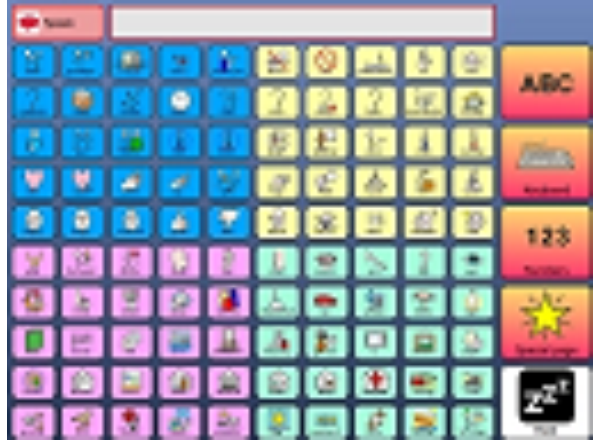
This is a called 100 grids as the main page has 100 vocabulary cells on. It has been designed with an eyegaze user in mind, to try and make access easier. The vocabulary has been broken up into 4 groups when a user picks a certain group they will then jump to a page that will have that vocabulary on. These bigger cells allow easier access for an eyegaze user whilst still allowing them on them home page to see their 100 most common words. The wordlist can be changed to do this go to the 'Home screen shot' grid and go to 'Auto Content' 'Word list for this grid'. You can then edit the word list to suit your needs. Once you have completed your changes go to 'File' 'Save Picture of Grid' (make sure you are in user mode). Then go back to your 'Home page' and select 'Edit grid settings' click on 'Browse For Picture' and select the picture you have just saved, click on OK and now you have your new vocabulary. It might sound complicated but once you try it you will see how easy it really is.
A basic starter bundle from Alan Martin to get someone up and running quickly. This is a really useful bundle which should enable an older teenager or an adult to get started quickly with The Grid 2. It includes much everyday conversation, useful places etc while leaving prepared spaces for personal contact names and such like.
CALLtalk was designed primarily for school children, but can also be used by adults, if adapted and personalized. CALLtalk is more complex than a ‘beginner’ vocabulary and goes beyond basic functional communication. Users need to understand topic categorization and should be starting to put two or more words together. It is for direct touch screen users, keyguard users, and switch users.
A gridset for giving stage directions / dance moves, and also recording them from Beaumont College.
It is that time of year again, so here is some Christmas grids to help you celebrate. Our Christmas Cook Book currently has three recipes Mince pies, Cheese Stars, and Peppermint creams. All recipes can be read aloud and are accessible by many forms of access including switch, eye gaze, head pointer or direct access. Please feel free to edit this grid set for different recipes. If you do make a new recipe don't forget to put it up on this website so other people may enjoy the tasty treats too! If there is a recipe you would like us to do for you then please email me the recipe and I can update our grid set and send it out to you. Comments or suggestions about grid sets I have put up here are very welcome, my email address is gemma@smartboxat.com
This wordlist will help users choose what they want for their Christmas dinner and because it has been designed as a wordlist it is easy to add in any extras I may have missed out. If you need help with wordlists then please look at Training card 14 (this can be located in The Grid 2 by going to Help), or you can go to http://answers.sensorysoftware.com/answer126.htm where a wordlist is used to make a photo album. Comments or suggestions about grid sets I have put up here are very welcome, my email address is gemma@smartboxat.com.
It is that time of year again, so here are some Christmas grids to help you celebrate. Christmas find the picture is a very simple game where the user has to help Father Christmas find the hidden presents - to help users with visual scanning. This is mainly designed to help motivate the user, so they can get use to their form of access may it be switch, eye gaze, head pointer or direct access. Please feel free to edit this grid set so that you have appropriate pictures and sounds in the grid that will motivate the user. Anything from pictures of their friends and family; to their favourite football team. These grid sets will only work with version 2.0.4 and above, free updates are available. Comments or suggestions about grid sets I have put up here are very welcome, my email address is gemma@smartboxat.com.
It is that time of year again, so here are some Christmas grids to help you celebrate. Christmas Hide and Seek is a very simple game where the user has to catch the present - to help users with visual scanning. This is mainly designed to help motivate the user, so they can get use to their form of access may it be switch, eye gaze, head pointer or direct access. Please feel free to edit this grid set so that you have appropriate pictures and sounds in the grid that will motivate the user. Anything from pictures of their friends and family; to their favourite football team. These grid sets will only work with version 2.0.4 and above, free updates are available. Comments or suggestions about grid sets I have put up here are very welcome, my email address is gemma@smartboxat.com.
Dynamic Screen Starter is a simple communication vocabulary for symbol users. These grids provide a structured starting point for developing a larger, personalised communication system.
Exactly the same as the Widgit symbol version, but with PCS symbols.
Dynamic Screen Starter is a simple communication vocabulary for symbol users. These grids provide a structured starting point for developing a larger, personalised communication system. They have been adapted to include key eye gaze support features
Fast Talker 15 cell uses our Touch Type prediction system for typing that works in a similar way to mobile phone predictive text. Music player and word processor are also included. The 15 cell version provides faster text entry for users able to access an increased number of cells.
Fast Talker 9 cell uses our Touch Type prediction system for typing that works in a similar way to mobile phone predictive text. Music player and word processor are also included.
Hidrex Artwork for Go Talk 20+. For optimal use of the printer, it is recommended to set the Grid positions to: Top 98 mm, Left 3 mm, Width 196 mm, Height 183 mm. Makes it possibe to use Grid 2 for static communikation devices. This is the beginning of a series of artworktemplates. You can use any image and Symbollibrary from the Grid 2
A computer control grid for the free 3D modelling application (optimised for switch users). http://sketchup.google.com/ From Beaumont College
Grid Talk is a communication vocabulary for people who rely on symbols to identify words, but can usually identify the first letter of a word. The front page provides core vocabulary and hundreds more words are one click away
There are three on-screen keyboards laid out for children I have worked with who have physical and/or visual difficulties. Two offer symbol prediction (large keyboard and symbol keyboard) the other just word prediction. To change the keyboard change the start keyboard in "edit user"/ startup / start grid. Preview takes the user to grids for saving / finding previous documents / etc.
A gridset making use of the Kindle Reader PC app with accessibility plug-in. As long as you have screen reading software installed, this will function as a self-voicing switch accessible ebook reader. (This gridset automatically launches Texthelp Read and Write Gold, but could easily be modified to launch the free NVDA screen reader). Optimised for switch users. For more info, read the case study on the DART project website: http://dart.beaumontcollege.ac.uk/?p=95
Grid for use with Microsoft Outlook email program from Bob Gowdie
A simple keyboard with prediction and numbers for beginning writers. Use the sounds like button to help with mis-spellings.
The Mayer-Johnson Picture Communication Symbols arranged in categories for browsing.
PragTalk is a different approach to vocabulary, intended for very young children. Start by selecting 'good' or 'bad' things to say, and see what options are available.
PragTalk is a different approach to vocabulary, intended for very young children. Start by selecting 'good' or 'bad' things to say, and see what options are available. Adapted for Eye gaze and Uses PCS symbols
Provides a simple series of screens leading an aphasic user through the process for emailing and texting via symbols, with a page of suggested topics which can be added to. From Karen Lewis
A collection of useful low and simple technology resources, aimed at giving you ideas to start using with the Grid 2
A new version of our social networking gridset which includes Twitter, Facebook and Skype and works with the latest version of these social networks as of 21st December 2011. It uses the full version of the websites, rather than just the cut down mobile version. You will need the Firefox web browser: http://www.mozilla.org/en-US/firefox/new/ The grid does not log the user in, this must be done manually the first time - just tick the 'remember me' box In order for the 'My Wall' Facebook cell to work, you will need to edit it to include the unique URL for the user: http://www.facebook.com/yourusernamehere Please Note: Social Networks are known to change the layout, shortcuts and URLS so if this stops working please let us know!
Stalk is a small group of grids for instant communication. The grids are a fun way to introduce key concepts such as symbol sentences and jumping between grids.
Stalk is a small group of grids for instant communication. The grids are a fun way to introduce key concepts such as symbol sentences and jumping between grids. This grid uses PCS symbols and is adapted to include some basic Eye gaze support.
Starting Blocks is an exciting grid set for introducing computer-aided communication to young children. Starting Blocks was designed and created by Sally Conner. There are hundreds of grids providing many hours of fun as you progress from very simple interaction through to independent communication. The targeted activities develop core skills, and a clear 'roadmap' makes it easy to see where to go next - and how far you have come! At every step there are a variety of activities, so you can focus on one skill until it is fully mastered, without the tasks becoming repetitive.
This grid bundle will work with a Windows webcam and is designed for Windows Vista users. It is designed to make use of the snapshot command in the Grid 2 and the Windows Photo Gallery. Using Program control the user is able to control photo gallery to view snapshots taken with the Webcam. This grid bundle will work with a Windows webcam and is designed for Windows Vista users. It is designed to make use of the snapshot command in the Grid 2 and the Windows Photo Gallery. Using Program control the user is able to control photo gallery to view snapshots taken with the Webcam. This could also be adapted to view pictures in other folders, such as the My pictures folder by changing the path of the "run pogram" command on the "view pictures" cell.
This grid bundle takes photos with a Webcam and will allow the user to view snapshots in the Windows Photo gallery This grid bundle will work with a Windows webcam and is designed for Windows XP users. It is designed to make use of the snapshot command in the Grid 2 and the Windows Photo Gallery. Using Program control the user is able to control photo gallery to view snapshots taken with the Webcam. This could also be adapted to view pictures in other folders, such as the My pictures folder by changing the path of the "run pogram" command on the "view pictures" cell.
Talk Together is a unique new way for a child and communication partner to work together. From the very beginning, this innovative vocabulary package encourages your involvement in modelling and supporting a developing vocabulary – all within a highly intuitive set of pages that enables children say what they want. A wealth of on-screen support and ideas are available at the touch of a button at every stage, so there’s no need to constantly refer to the manual! The multilevel page sets place the emphasis on play, activities and having fun - with a stable core vocabulary to use at all five stages!
This user is an example of how you can use visual scenes in The Grid 2. For more visual scenes please look in: C:\Program Files\Sensory Software\Common\Pictures\Dynamic Scene Displays Original grid set put together by Peter Brownlow adapted by Gemma Eardley Smartbox AT
Simple add-on to your wordpower special functions page, to enable users to edit their email and text contact. Bundles contain both updated special functions grid and contact manager
This level is designed for very competent users. It has more core vocabulary on the top page. A keyboard is provided on a separate page. This version uses PCS symbols.
WordPower A is designed for children new to communication aid use and needing to consolidate access methods.
WordPower B is designed for children with good single word vocabulary but new to combining words. It aims to facilitate class participation in a range of activities. Children should have a good access method before moving up to this level. This version uses Widget symbols.
WordPower C is aimed at students needing to broaden their vocabulary and develop their use of sentence structure for more independent communication. This version uses Widget symbols.
WordPower D is aimed at students who wish to use correct syntax and more complete sentences, need to build up speed of communication and who wish to integrate their communication aid use with independent access to other functions such as word processing, internet access.
This level is designed for very competent users. It has more core vocabulary on the top page. A keyboard is provided on a separate page. This version uses PCS symbols.
This level is designed for very competent users. It has more core vocabulary on the top page. A keyboard is provided on a separate page. This version uses Widget symbols.
WordPower A is designed for children new to communication aid use and needing to consolidate access methods. This version uses Widget symbols.
WordPower B is designed for children with good single word vocabulary but new to combining words. It aims to facilitate class participation in a range of activities. Children should have a good access method before moving up to this level. This version uses Widget symbols.
WordPower C is aimed at students needing to broaden their vocabulary and develop their use of sentence structure for more independent communication. This version uses Widget symbols.
WordPower D is aimed at students who wish to use correct syntax and more complete sentences, need to build up speed of communication and who wish to integrate their communication aid use with independent access to other functions such as word processing, internet access.
WordPower Keyboard is designed for very competent users. It has more core vocabulary and a keyboard on the top page. This version uses Widget symbols.
Agilis 7x8. Umfangreiche Symbolkommunikation mit Grammatikfunktion und Wortstrategie: Die Agilis-Strategie ermöglicht eine schnelle und flexible Kommunikation für Kinder und Jugendliche und soll deren kommunikative Möglichkeiten kontinuierlich fördern und erweitern. Das Vokabular wurde explizit für den Kinderbereich entwickelt und orientiert sich an der Sprachentwicklung und Lebenswirklichkeit von Kindern und Jugendlichen. Agilis 7x8 ist selbsterklärend, oft intuitiv und für Außenstehende mit einiger Übung schnell zu bedienen. Nach 60 Tagen muss für die dauerhafte Nutzung eine Lizenz erworben werden.
AgilisPro 6x8 türkis PCS-Autogrammatik Symboloberfläche Beta. Agilis Pro. Umfangreiche Symbolkommunikation mit Grammatikfunktion und Wortstrategie als Erweiterung für fortgeschrittene Nutzer von Agilis 7 x 8. Förderung der Schriftsprachkompetenz über eine sehr effiziente Kombination aus Schritsprach- und Symbolkommunikationsstrategien. Agilis Pro folgt dem bewährten Konzept der Agilis-Strategie und wurde für Nutzer entwickelt, die einen größeren Vokabularumfang benötigen als in Agilis 7 x 8 vorhanden. Das Vokabular der einzelnen Themengebiete wird durch flexible Wortlisten mit Kernvokabularinhalten und schnellen und intelligenten Wortvorhersagefeldern spielend ergänzt. Durch mehrmaliges Klicken auf Unterthemen eröffnet sich deutlich mehr Platz für weiterführendes und fortgeschrittenes Vokabular. Schriftsprachkenntnisse sind für die Nutzung von Agilis Pro nicht erforderlich, sollen aber durch den täglichen Umgang mit dem Raster kontinuierlich gefördert und erweitert werden. Nach 60 Tagen muss für die dauerhafte Nutzung eine Lizenz erworben werden.
Simple clavier AZERTY incluant les symboles, les chiffres et les touches de fonction.
Druckvorlage für Go Talk 20+. Diese Druckeinstellungen sind vor dem Drucken einzustellen: Oben 98mm, Links 3 mm, Breite 196 mm, Höhe 183 mm. Hiermit können über Grid2 Druckvorlagen erstellt und angepasst werden, es besteht die Möglichkeit die Druckvorlage auch als dynamische Grundlage zu nutzen. Das anpassen der Bilder ist mit allen Symbolsammlungen möglich wenn diese freigeschaltet sind.
FAACt PCS und WLS mit Autogrammatik Symboloberfläche für Fortgeschrittene. Umfangreiche Symbolkommunikation mit Grammatikfunktion und Wortstrategie in Verbindung aller gängigen Kulturtechniken. Förderung oder Wiedererlangung der Schriftsprachkompetenz über eine sehr effiziente Kombination aus Schritsprach- und Symbolkommunikationsstrategien. fAACt folgt dem bewährten Konzept der Kern- und Randvokabularnutzung und wurde für Nutzer entwickelt, die einen größeren Vokabularumfang benötigen als in z.B. den Agilis oder Memoris Strategien. Das Vokabular der einzelnen Themengebiete wird durch flexible Wortlisten mit Kernvokabularinhalten und schnellen und intelligenten Wortvorhersagefeldern spielend ergänzt. Durch mehrmaliges Klicken auf Unterthemen eröffnet sich deutlich mehr Platz für weiterführendes und fortgeschrittenes Vokabular. Schriftsprachkenntnisse sind für die Nutzung von fAACt nicht zwingend erforderlich, werden aber durch den täglichen Umgang mit dem Raster kontinuierlich gefördert und erweitert. Nach 60 Tagen muss für die dauerhafte Nutzung eine Lizenz erworben werden.
יומן למשתמשי גריד 2 בפורמט של Fast Talker. מאפשר הוספה, עריכה וביטול של פגישות והצגתן בתצוגה חודשית, שבועית, יומית או בתצוגת אירועים קרובים. ניתן לצרף את הלוחות לתוך Fast Talker או להשתמש בו כיישום עצמאי. את הלוח Fast Talker ניתן להוריד מהאצר גריד אונליין. יומן לגריד 2 הוא תוסף לתוכנה (ללא תשלום). ניתן להוריד את תוכנת ההתקנה של היומן מהקישור http://downloads.sensorysoftware.com/public/SetupCalendarForTheGrid2_he_IL.msi
Komunikační mřížky s poměrně širokým slovníkem, který je třeba personalizovat doplněním jmen osob, názvů míst apod. Součástí je také možnost psaní na klávesnici s predikcí, ovládání základních funkcí Internetu, Facebooku, ovládání přehrávače hudby, mobilu apod.
Schnick Schnack Schnuck auf der Kommunikationshilfe?! Ja, das geht! Das Raster ist sowohl für Kinder als auch für Erwachsene geeignet. Es spielen mit: Brunnen, Papier, Schere, Stein und Streichholz. Wer gewinnt, kann in den einzelnen Rastern eingesehen und gesprochen werden. Sie wollen das Streichholz aus dem Spiel weglassen und mit weniger Auswahlmöglichkeiten beginnen? Kein Problem! Nutzen Sie die Funktion "Feld verstecken" und erweitern Sie die Anzahl der Gegenstände kontinuierlich mit den Fortschritten des Nutzers. Viel Spaß beim Spielen!
Ein Gridraster für die Nutzung von Windows Live Messenger.
משתמש זה הינו תוסף ללוחות תקשורת - מבוססי טקסט או סמלים - המאפשר משלוח טקסט שנרשם בלוחות התקשורת הרגילים של המשתמש (שיכולים כאמור להכיל סמלים). הלוח עושה שימשו בתיבת מייל רגילה שמוגדרת בשרת דוא"ל כלשהו (עדיף בג'ימייל). הלוח מאפשר משלוח דואר וקריאת דואר נכנס. לשילוב הלוח בתוך לוחות קיימים, יבא את מארז הדפים לתוך המשתמש הקיים ועבור לדף "דואר אלקטרוני מלוח תקשורת-התחלה" לקריאת ההוראות.
לוחות אלו מיועדים למשתמשים הנעזרים בסמלים לבחירת המילה, אך יכולים להקליד את האות הראשונה של המילה. דף הפתיחה מכיל את המילים השימושיות. לבחירת מילים אחרות המשתמש בוחר את האות הראשונה ועובר לדף בו עם כל המילים שמתחילות באות זו.
מערכת לוחות ראשונית ופשוטה באמצעותה מכיר הילד את השימוש במחשב לצרכי תקשורת. הלוח מכיל מסרים בסיסיים המאפשרים תקשורת ראשונית ומעודדים יצירת משפטים ראשוניים בצורה של תרשים זרימה המערכת כוללת 16 לוחות עם 9 מסרים בכול לוח, ומאורגנת לפי כוונות תקשורתיות והקשרים יומיומיים אנו ממליצים להתייעץ בקלינאי/ת תקשורת מומחה לתקשורת תומכת וחליפית לצורך בחירת הרמה המתאימה
משחק פשוט של התאמת תמונות - על המשתמש לבחור את שתי התמונות הזהות בכל דף (לא משנה באיזה סדר) ואז התוכנה מעבירה אותו ללוח הבא. הדוגמא מכילה דפים ברמת מורכבות עולה ובסיומו זוכה המשתשמש למחיאות כפיים סוערות. מי שמעוניין לבנות לוח דומה, ולא רוצה להתעמק ב"איך לעשות את זה" יכול להוריד את מארז הדפים "התאמת תמונות - תבנית" המכיל 10 שלבים מוכנים בהם צריך לשלב את התמונות המתאימות ואת התמונות הלא מתאימות. מבוסס על הלוח Match the Picture של חברת Sensory Software.
משחק פשוט של התאמת תמונות - על המשתמש לבחור את שתי התמונות הזהות בכל דף (לא משנה באיזה סדר) ואז התוכנה מעבירה אותו ללוח הבא. הלוח "התאמת תמונות - תבנית" המכיל 10 שלבים מוכנים בהם צריך לשלב את התמונות המתאימות ואת התמונות הלא מתאימות. מבוסס על הלוח Match the Picture של חברת Sensory Software.
משחק פשוט לזיהוי פירות. בכל דף רשום שם של פרי - המשתמש יכול להקיש על התא ולשמוע את שם הפרי. למשתמש מוצגות שתי אפשרויות ועליו לבחור את הנכונה מבינהן.
ארבע פעילויות לשעות הפנאי: 1. צפיה בתמונות 2. צפיה בסרטונים 3. צפיה במצגות 4. לוח תמונות ל"סיפור חוויה" ניתן לקשר את הדפים לספריות עם תמונות, לסירטונים ולמצגות בהתאם לצורך קובץ עם הוראות התאמה ניתן להוריד מהקישור http://www.livecity.co.il/image/users/83585/ftp/my_files/grids%20online/D-bur%20Fun%20Activities.pdf?id=8891579 Power Point Viewer 2003 על מנת לאפשר הצגת מצגות, מומלץ להתקין את תוכנת :קישור להורדה http://www.livecity.co.il/image/users/83585/ftp/my_files/grids%20online/D-bur%20Fun%20Activities.pdf?id=8894472
תבנית לשילוב דפי שירים בתוך יישום התקשורת של משתמש - שירים לחגים, שירים לשבת, שירים לימי הולדת וכדומה. ניתן להוסיף כמה דפי שירים שרוצים ובכל דף להגדיר כמה שירים שרוצים. המשתמש יכול לבחור שיר ולעצור את ניגון השיר. הלוח מיועד לשילוב בתוך לוח התקשורת הרגיל של המשתמש. קובץ עם הוראות התאמה ניתן להוריד מהקישור http://www.livecity.co.il/image/users/83585/ftp/my_files/grids%20online/D-bur%20Songs%20Template.pdf?id=8894475
מקלדת סמלים בה האותיות מסודרות לפי סדר האותיות - לאחר הקלדת המילה התוכנה מוסיפה את הסמל באיזור העבודה. באפשרות המשתמש לשנות את הסמל הנבחר או לבחור להציג את המילה ללא סמל. עוד מכילה המקלדת את סימני הניקוד ותאים יוחדים לתחיליות של העברית.
מקלדת סמלים בה האותיות מסודרות לפי הסדר של מקלדת רגילה - לאחר הקלדת המילה התוכנה מוסיפה את הסמל באיזור העבודה. באפשרות המשתמש לשנות את הסמל הנבחר או לבחור להציג את המילה ללא סמל. עוד מכילה המקלדת את סימני הניקוד ותאים יוחדים לתחיליות של העברית.
משתמש סמלים עם אירגון לוחות לפי קטגוריות. תפריט קבוע בצד ימין מאפשר גישה מהירה לכל לוח. שורת הכותרת של כל דף מכילה מילים קבועות.
מערכת לוחות בעיצוב נעים ומודרני המיועדת למשתמשים יודעי קרוא וכתוב. בנוסף ללוח שיחה יכול המשתמש לגלוש באינטרנט, לשלוח ולקבל מיסרונים ודואר אלקטרוני, לערוך מסמכים ולשמוע מוסיקה. הלוח מכיל גם אוסף דפים לגלישה בפייסבוק - סביבה פשוטה המיועדת לטלפונים ניידים Facebook Mobile זו הגירסא הראשונה של הלוחות. אשמח לשמוע הערות ולקבל הצעות לשיפורים. מבוסס על הלוח Fast Talker של חברת Sensory Software.
מערכת לוחות לשימוש בפייסבוק. מיועדת לשימוש עם מסך מגע, סריקה ומערכות מיקוד מבט. הלוחות עושים שימוש באתר פייסבוק המיועד לטלפונים סלולרים ומערכות נידות והוא פשוט יותר לניטטו מהאתר הרגיל של פייסבוק. חלק מהפונקציות בלוחות פועלות באופן מלא רק כאשר דף הפייסבוק מכיל מספיק מידע. בשלבים ראשוניים יתכן וחלק מהתאים יפעלו באופן חלקי. זו גירסא ראשונה של המשתמש. אשמח לשמוע הערות ולקבל הצעות לשיפורים. מבוסס על הלוח Facebook של חברת Sensory Software.
תבנית ריקה בעיצוב של די-בור - צבעים פסטליים נעימים לעין. ליצירת משתמש חדש בתבנית זו, שכפל/י את המשתמש "תבנית עיצוב" והשתמש/י במשתמש המשוכפל לבניית הלוחות החדשים.