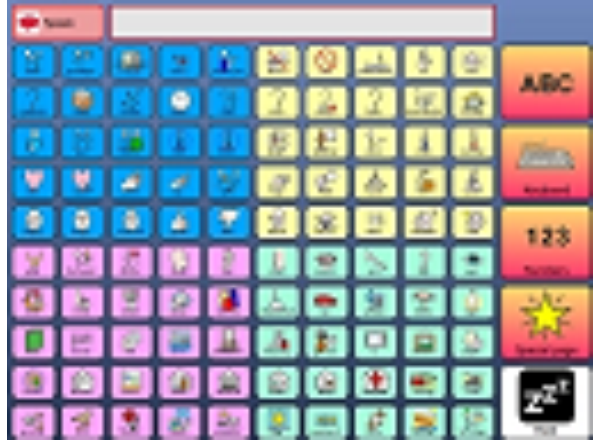
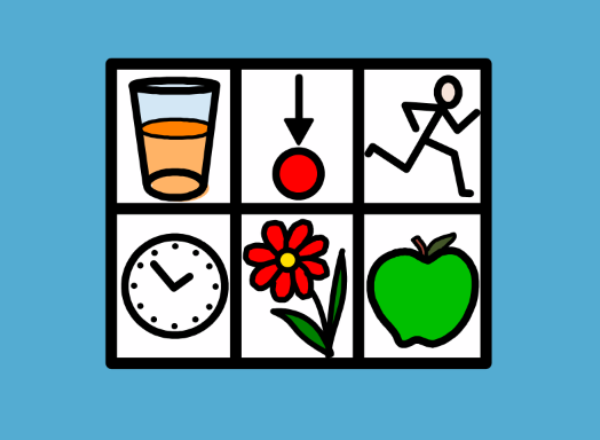
This is a called 100 grids as the main page has 100 vocabulary cells on. It has been designed with an eyegaze user in mind, to try and make access easier. The vocabulary has been broken up into 4 groups when a user picks a certain group they will then jump to a page that will have that vocabulary on. These bigger cells allow easier access for an eyegaze user whilst still allowing them on them home page to see their 100 most common words. The wordlist can be changed to do this go to the 'Home screen shot' grid and go to 'Auto Content' 'Word list for this grid'. You can then edit the word list to suit your needs. Once you have completed your changes go to 'File' 'Save Picture of Grid' (make sure you are in user mode). Then go back to your 'Home page' and select 'Edit grid settings' click on 'Browse For Picture' and select the picture you have just saved, click on OK and now you have your new vocabulary. It might sound complicated but once you try it you will see how easy it really is.
4 x 4 vocabulary designed for dynamic access users such as eye gaze, head pointer and touchscreen users FEATURES: jumps (links) to core vocabulary and starters words in centre column workspace in central row simple colour coding system to aid eye gaze use
This is set of 4x2 grids which allows the user to communicate about a range of everyday events and topics, with a minimal number of selections. The program fills in the additional vocabulary so that what is spoken is usually a normal complete sentence. Probably most suited to teenagers / adults.
An example "about me" grid. Looks great in Grid Player or The Grid 2. Note that Tommy is a made-up person!
These grids were originally conceived to be used by Registered Intermediaries working with witnesses in police interviews and in court. However they have a much wider application for use in schools and care environments and are useful for describing people as well as events. Each grid is laid as simply as possible. The symbols used are Widgit Literacy Symbols.
Animal Matching is a simple game where the user has to match the picture to one of the three choices below. Folly Farm grids are a group of grid sets that contain some simple educational games. They are mainly designed to help motivate the user, so they can get use to their form of access may it be switch, eye gaze, head pointer or direct access. Please feel free to edit this grid set so that you have pictures and sounds in the grid that will motivate the user. Anything from pictures of their friends and family; to their favorite football team. Pictures have been kindly supplied by Folly Farm in Pembrokeshire which has a friendly farmyard, zoo, vintage funfair and an imaginative range of adventure play. For more details please go to http://www.folly-farm.co.uk/ These grid sets will only work with version 2.0.4 and above.
A fast, efficient symbol communication grid set for people who want to get straight to the point.
This is a simple grid set for users to play along with a game of Bingo in the classroom. The user hits the mark button and then selects the cell to mark. To create a new Bingo card go to the 'Bingo card creator' grid and go to 'Auto Content' 'Word list for this grid'. You can then go to 'Tools', 'Clear Word List' and then add in the words you want to use. Once you have all 9 cells filled go to 'File' 'Save Picture of Grid' (make sure you are in user mode). Then go back to your 'Bingo' and select 'Edit grid settings' click on 'Browse For Picture' and select the picture you have just saved, click on OK and now you have your new Bingo grid. It might sound complicated but once you try it you will see how easy it really is.
This grid uses a wordlist of breakfast food items for saying what you want for breakfast. Words can be added or removed easily! NEW! More words added, including cereal brands!
CALLtalk was designed primarily for school children, but can also be used by adults, if adapted and personalized. CALLtalk is more complex than a ‘beginner’ vocabulary and goes beyond basic functional communication. Users need to understand topic categorization and should be starting to put two or more words together. It is for direct touch screen users, keyguard users, and switch users.
For people who like to talk. Eye gaze version of the Standard UK Grid set.
The popular Chatterbox grid set, optimised for Grid Player.
This wordlist will help users choose what they want for their Christmas dinner and because it has been designed as a wordlist it is easy to add in any extras I may have missed out. If you need help with wordlists then please look at Training card 14 (this can be located in The Grid 2 by going to Help), or you can go to http://answers.sensorysoftware.com/answer126.htm where a wordlist is used to make a photo album. Comments or suggestions about grid sets I have put up here are very welcome, my email address is gemma@smartboxat.com.
This wordlist will help users talk about Christmas and because it has been designed as a wordlist it is easy to add in any words I may have missed out. If you need help with wordlists then please look at Training card 14 (this can be located in The Grid 2 by going to Help), or you can go to http://answers.sensorysoftware.com/answer126.htm where a wordlist is used to make a photo album. Comments or suggestions about grid sets I have put up here are very welcome, my email address is gemma@smartboxat.com.
Dynamic Screen Starter is a simple communication vocabulary for symbol users. These grids provide a structured starting point for developing a larger, personalised communication system.
Dynamic Screen Starter is a simple communication vocabulary for symbol users, using the Metacom library. These grids provide a structured starting point for developing a larger, personalised communication system.
Dynamic Screen Starter is a simple communication vocabulary for symbol users. These grids provide a structured starting point for developing a larger, personalised communication system.
Exactly the same as the Widgit symbol version, but with PCS symbols.
Dynamic Screen Starter is a simple communication vocabulary for symbol users. These grids provide a structured starting point for developing a larger, personalised communication system.
Dynamic Screen Starter is a simple communication vocabulary for symbol users. These grids provide a structured starting point for developing a larger, personalised communication system. Adapted to include key Eye gaze features
A web browser add in for Dynamic Screen starter. To add Web favourites onto the page go to 'Auto content' 'Web Favourites'
Dynamic Screen Starter is a simple communication vocabulary for symbol users. These grids provide a structured starting point for developing a larger, personalised communication system.
Dynamic Screen Starter is a simple communication vocabulary for symbol users. These grids provide a structured starting point for developing a larger, personalised communication system. They have been adapted to include key eye gaze support features
This user has been designed with an eyegaze user in mind, to try and make access easier. The vocabulary has been broken up into 4 groups when a user picks a certain group they will then jump to a page that will have that vocabulary on. These bigger cells allow easier access for an eyegaze user whilst still allowing them on them home page to see their 64 most common words. The wordlist can be changed to do this go to the 'Home Grid template' grid and go to 'Auto Content' 'Word list for this grid'. You can then edit the word list to suit your needs. Once you have completed your changes go to 'File' 'Save Picture of Grid' (make sure you are in user mode). Then go back to your 'Home Grid' and select 'Edit grid settings' click on 'Browse For Picture' and select the picture you have just saved, click on OK and now you have your new vocabulary. It might sound complicated but once you try it you will see how easy it really is.
Flash Card is a simple to use grid set that allows you to: - show a single symbol virtually full screen, use this to train people to use new symbols - just press the flash card button when you find the symbol you want - use next symbol to display your preferred symbol associated with a word or concept - Turn the symbol off and see text only for those moving from symbols to text - use the compound word grid to add symbols to a word list that have more than one word attached to them: traffic light; ice cream; good morning etc.
Hidrex Artwork for Go Talk 20+. For optimal use of the printer, it is recommended to set the Grid positions to: Top 98 mm, Left 3 mm, Width 196 mm, Height 183 mm. Makes it possibe to use Grid 2 for static communikation devices. This is the beginning of a series of artworktemplates. You can use any image and Symbollibrary from the Grid 2
Hidrex Artwork for Go Talk 4+. For optimal use of the printer, it is recommended to set the Grid positions to: Top 96mm, Left 3 mm, Width 200 mm, Height 185 mm. Makes it possibe to use Grid 2 for static communikation devices. This is the beginning of a series of artworktemplates. You can use any image and Symbollibrary from the Grid 2
Hidrex Artwork for Go Talk 9+. For optimal use of the printer, it is recommended to set the Grid positions to: Top 99 mm, Left 3 mm, Width 196 mm, Height 183 mm. Makes it possibe to use Grid 2 for static communikation devices. This is the beginning of a series of artworktemplates. You can use any image and Symbollibrary from the Grid 2
The popular Grid Talk grid set, optimised for Grid Player.
Grid Talk is a communication vocabulary for people who rely on symbols to identify words, but can usually identify the first letter of a word. The front page provides core vocabulary and hundreds more words are one click away
Grid Talk is a communication vocabulary for people who rely on symbols to identify words, but can usually identify the first letter of a word. The front page provides core vocabulary and hundreds more words are one click away.
Use this to write documents for printing and putting up around the school, home or workplace. Use a XPS or PDF printer to be able to email the resulting document to friends for remote printing.
A one page user that has some different wordlists for talking about Halloween
A simple keyboard with prediction and numbers for beginning writers. Use the sounds like button to help with mis-spellings.
A page of sports from the Olympics. This is designed to be added to Symbol Talker B. To add to Symbol Talker B, select "Add to existing user" when importing the grid bundle, and select Symbol Talker B. You can then make a jump to the new grid "Olympics" from a suitable location - such as the sports grid. UPDATED - now includes paralympic sports, venues and mascots!
This single grid demonstrated a new Photo Viewer workspace introduced in version 2.8 of the Grid and can be added to any grid set. The "set photo folder" location may need to be changed for your computer. Go to Edit mode>edit Grid settings>commands to change this.
PragTalk is a different approach to vocabulary, intended for very young children. Start by selecting 'good' or 'bad' things to say, and see what options are available.
PragTalk is a different approach to vocabulary, intended for very young children. Start by selecting 'good' or 'bad' things to say, and see what options are available. Adapted for Eye gaze and Uses PCS symbols
PragTalk is a different approach to vocabulary, intended for very young children. Start by selecting 'good' or 'bad' things to say, and see what options are available.
PragTalk is a different approach to vocabulary, intended for very young children. Start by selecting 'good' or 'bad' things to say, and see what options are available. Adapted to include some eye gaze key functions
A simple one button version of Simon Says that uses only the Random Phrase command. With a wordlist that can be edited to add your own actions.
A collection of useful low and simple technology resources, aimed at giving you ideas to start using with the Grid 2
This user is a picture dictionary, allowing people who may have problems with certain nouns find the word they want to use. To identify the words we have used the new SNAPs library of pictures rather than drawn symbols to help it appeal more to older users.
Suitable for simple sentence level. Potential to add vocab for more advanced user This grid bundle is for students who have comprehension level of at least three information carrying words. It incorporates the principle of a consistent motor pattern. Words are in the same place if they are repeated on a page. There is a large core vocabulary and I recommend that many are 'hidden' as a user learns the vocabulary. The topic pages have lots of spaces for additional words to be added. You could add a spelling page with word predict to the front page for a more literate user.
These two keyboards (uppercase and lowercase) are great for adding spelling pages to a symbol communication system.
Stalk is a small group of grids for instant communication. The grids are a fun way to introduce key concepts such as symbol sentences and jumping between grids.
Stalk is a small group of grids for instant communication. The grids are a fun way to introduce key concepts such as symbol sentences and jumping between grids. This grid uses PCS symbols and is adapted to include some basic Eye gaze support.
Frequency of use on-screen keyboards are already available for switch users within the Grid 2. This Grid bundle applies these principles for an eye gaze user. Most commonly used letters or functions are in the middle of the keyboard, less common letters and functions are placed around the edge. Where prediction cells would be beneficial, these are in the centre of the keyboard. In principle, this should mean that the user (after they become familiar with the unfamiliar layout!) should have less scanning of the screen to do. Bringing the prediction cells away from the peripheral vision of the user, may also help with the efficient use of prediction, and hence the speed of use. Try it and see! Some eye gaze users also report preferring darker backgrounds and less contrast with cell styles. Simply changing grid background colours and cell styles can help with this. Look at "Star Talker at Night" as an example.
Starting Blocks is an exciting grid set for introducing computer-aided communication to young children. Starting Blocks was designed and created by Sally Conner. There are hundreds of grids providing many hours of fun as you progress from very simple interaction through to independent communication. The targeted activities develop core skills, and a clear 'roadmap' makes it easy to see where to go next - and how far you have come! At every step there are a variety of activities, so you can focus on one skill until it is fully mastered, without the tasks becoming repetitive.
Symbol finder allows you to search the dictionary for a symbol and display it in an audible flash card. To enlarge the chosen symbol please select the blue arrow underneath it.
Symbol Talker is a complete vocabulary package for someone who uses symbols to talk. This version uses Widgit symbols.
Symbol Talker is a complete vocabulary package for someone who uses symbols to talk. This version uses SymbolStix symbols.
Symbol Talker is a complete vocabulary package for someone who uses symbols to talk. This version uses Widgit symbols.
Symbol Talker is a complete vocabulary package for someone who uses symbols to talk. This version uses SymbolStix symbols.
Talk Together is a unique new way for a child and communication partner to work together. From the very beginning, this innovative vocabulary package encourages your involvement in modelling and supporting a developing vocabulary – all within a highly intuitive set of pages that enables children say what they want. A wealth of on-screen support and ideas are available at the touch of a button at every stage, so there’s no need to constantly refer to the manual! The multilevel page sets place the emphasis on play, activities and having fun - with a stable core vocabulary to use at all five stages!
Talkative is a communication vocabulary for people who rely on symbols to identify words. Common words are displayed on the front page, with links to a wide vocabulary organised by topic. As well as speaking, Talkative can also help you send a text or email, play music or surf the internet, or control your home environment. This (U) version does not contain the grids with adult words.
Talkative is a communication vocabulary for people who rely on symbols to identify words. Common words are displayed on the front page, with links to a wide vocabulary organised by topic. As well as speaking, Talkative can also help you send a text or email, play music or surf the internet, or control your home environment. This version has been adapted with some eye gaze features.
The popular Talkative grid set, optimised for Grid Player.
A text based communication system for literate users. Text Talker includes prediction and a ready made bank of instant messages. Text Talker was developed for use with Grid Player and includes a copy to clipboard function for simple integration with Facebook, Twitter and other Apps.
This is a simple symbol based timetable for use with Grid Player. It is controlled via a word list and has 9 available time slots, each of which can be customised.
This user is an example of how you can use visual scenes in The Grid 2. For more visual scenes please look in: C:\Program Files\Sensory Software\Common\Pictures\Dynamic Scene Displays Original grid set put together by Peter Brownlow adapted by Gemma Eardley Smartbox AT
This grid set is aimed at young adults who already have experience of low and/or high tech AAC. Although the grid set is fully supported by symbols, the spelling grid enables users who have some literacy skills to spell out unique words. There are two major sections within the Vocabulary for Life grid set. The first section is a set of category based grids e.g. meals, drinks, actions, etc. The second section contains the ‘Vocabulary for Life’ grids that include context specific pre-stored messages. They are designed to be used in specific situations such as ‘at the bank’, ‘eating out’ and ‘personal safety’.
This level is designed for very competent users. It has more core vocabulary on the top page. A keyboard is provided on a separate page. This version uses PCS symbols.
WordPower A is designed for children new to communication aid use and needing to consolidate access methods.
This wordlist is taken from a Year 7 Advent and Christmas wordlist, it is designed so that users can talk about the religious aspects of Christmas. As it has been designed as a wordlist it is easy to add in any words I may have missed out. If you need help with wordlists then please look at Training card 14 (this can be located in The Grid 2 by going to Help), or you can go to http://answers.sensorysoftware.com/answer126.htm where a wordlist is used to make a photo album. Comments or suggestions about grid sets I have put up here are very welcome, my email address is gemma@smartboxat.com.
Agilis 7x8. Umfangreiche Symbolkommunikation mit Grammatikfunktion und Wortstrategie: Die Agilis-Strategie ermöglicht eine schnelle und flexible Kommunikation für Kinder und Jugendliche und soll deren kommunikative Möglichkeiten kontinuierlich fördern und erweitern. Das Vokabular wurde explizit für den Kinderbereich entwickelt und orientiert sich an der Sprachentwicklung und Lebenswirklichkeit von Kindern und Jugendlichen. Agilis 7x8 ist selbsterklärend, oft intuitiv und für Außenstehende mit einiger Übung schnell zu bedienen. Nach 60 Tagen muss für die dauerhafte Nutzung eine Lizenz erworben werden.
AgilisPro 6x8 türkis PCS-Autogrammatik Symboloberfläche Beta. Agilis Pro. Umfangreiche Symbolkommunikation mit Grammatikfunktion und Wortstrategie als Erweiterung für fortgeschrittene Nutzer von Agilis 7 x 8. Förderung der Schriftsprachkompetenz über eine sehr effiziente Kombination aus Schritsprach- und Symbolkommunikationsstrategien. Agilis Pro folgt dem bewährten Konzept der Agilis-Strategie und wurde für Nutzer entwickelt, die einen größeren Vokabularumfang benötigen als in Agilis 7 x 8 vorhanden. Das Vokabular der einzelnen Themengebiete wird durch flexible Wortlisten mit Kernvokabularinhalten und schnellen und intelligenten Wortvorhersagefeldern spielend ergänzt. Durch mehrmaliges Klicken auf Unterthemen eröffnet sich deutlich mehr Platz für weiterführendes und fortgeschrittenes Vokabular. Schriftsprachkenntnisse sind für die Nutzung von Agilis Pro nicht erforderlich, sollen aber durch den täglichen Umgang mit dem Raster kontinuierlich gefördert und erweitert werden. Nach 60 Tagen muss für die dauerhafte Nutzung eine Lizenz erworben werden.
Ein kleines Seitenset mit kurzen Beispielen zur Therapie von Menschen mit Aphasie (Sätze ergänzen - gesuchte Wörter finden). Das Raster beinhaltet zwei kleine Übungen als Anregungen für den Therapiealltag. Neue Lernseiten können hinzugefügt werden zur kontinuierlichen Erweiterung des Rasters.
Bavard est un vocabulaire de communication pour les personnes ayant besoin des symboles pour identifier les mots. Les mots courants sont affichés sur la page principale, avec des liens permettant d'accéder à plus de vocabulaire stocké dans des catégories. Bavard permet également un texte ou d'écrire un email, écouter de la musique ou surfer sur internet, ou contrôler votre environnement.
Druckvorlage Go Talk 9+ Diese Druckeinstellungen sind vor dem Drucken einzustellen: oben 99 mm, Links 3 mm, Breite 196 mm, Hohe 183 mm. Hiermit können über Grid2 Druckvorlagen erstellt und angepasst werden, es besteht die Möglichkeit die Druckvorlage auch als dynamische Grundlage zu nutzen. Das anpassen der Bilder ist mit allen Symbolsammlungen möglich wenn diese freigeschaltet sind.
Druckvorlage für den SuperTalker 2x2. Diese Druckeinstellungen sind vor dem Drucken einzustellen: Oben 168 mm, Links 3 mm, Breite 203 mm, Höhe 111 mm. Hiermit können über Grid2 Druckvorlagen erstellt und angepasst werden, es besteht die Möglichkeit die Druckvorlage auch als dynamische Grundlage zu nutzen. Das anpassen der Bilder ist mit allen Symbolsammlungen möglich wenn diese freigeschaltet sind.
Druckvorlage für den SuperTalker 2x4. Diese Druckeinstellungen sind vor dem Drucken einzustellen: Oben 168 mm, Links 3 mm, Breite 203 mm, Höhe 111 mm. Hiermit können über Grid2 Druckvorlagen erstellt und angepasst werden, es besteht die Möglichkeit die Druckvorlage auch als dynamische Grundlage zu nutzen. Das anpassen der Bilder ist mit allen Symbolsammlungen möglich wenn diese freigeschaltet sind.
Druckvorlage für den SuperTalker 1x1 und 1x2. Diese Druckeinstellungen sind vor dem Drucken einzustellen: Oben 168 mm, Links 3 mm, Breite 203 mm, Höhe 111 mm. Hiermit können über Grid2 Druckvorlagen erstellt und angepasst werden, es besteht die Möglichkeit die Druckvorlage auch als dynamische Grundlage zu nutzen. Das anpassen der Bilder ist mit allen Symbolsammlungen möglich wenn diese freigeschaltet sind.
Druckvorlage für Go Talk 20+. Diese Druckeinstellungen sind vor dem Drucken einzustellen: Oben 98mm, Links 3 mm, Breite 196 mm, Höhe 183 mm. Hiermit können über Grid2 Druckvorlagen erstellt und angepasst werden, es besteht die Möglichkeit die Druckvorlage auch als dynamische Grundlage zu nutzen. Das anpassen der Bilder ist mit allen Symbolsammlungen möglich wenn diese freigeschaltet sind.
Druckvorlage für Go Talk 4+. Diese Druckeinstellungen sind vor dem Drucken einzustellen. : Oben 96mm, Links 3mm, Breite 200mm, Höhe 185mm. Hiermit können über Grid2 Druckvorlagen erstellt und angepasst werden, es besteht die Möglichkeit die Druckvorlage auch als dynamische Grundlage zu nutzen. Das anpassen der Bilder ist mit allen Symbolsammlungen möglich wenn diese freigeschaltet sind.
Mediaplayer für MP3 ist ein einfacher Mediaplayer um Mediadateien abzuspielen. Es ist möglich auf einzelnen Button Dateien zu stoppen und auch das Design hierzu mit Symbolen selber zu gestalten.
Paquete de cuadrículas ilustrativo de dos estrategias diferentes para realizar la conjugación verbal en castellano utilizando símbolos con The Grid 2.
FAACt PCS und WLS mit Autogrammatik Symboloberfläche für Fortgeschrittene. Umfangreiche Symbolkommunikation mit Grammatikfunktion und Wortstrategie in Verbindung aller gängigen Kulturtechniken. Förderung oder Wiedererlangung der Schriftsprachkompetenz über eine sehr effiziente Kombination aus Schritsprach- und Symbolkommunikationsstrategien. fAACt folgt dem bewährten Konzept der Kern- und Randvokabularnutzung und wurde für Nutzer entwickelt, die einen größeren Vokabularumfang benötigen als in z.B. den Agilis oder Memoris Strategien. Das Vokabular der einzelnen Themengebiete wird durch flexible Wortlisten mit Kernvokabularinhalten und schnellen und intelligenten Wortvorhersagefeldern spielend ergänzt. Durch mehrmaliges Klicken auf Unterthemen eröffnet sich deutlich mehr Platz für weiterführendes und fortgeschrittenes Vokabular. Schriftsprachkenntnisse sind für die Nutzung von fAACt nicht zwingend erforderlich, werden aber durch den täglichen Umgang mit dem Raster kontinuierlich gefördert und erweitert. Nach 60 Tagen muss für die dauerhafte Nutzung eine Lizenz erworben werden.
Komunikační mřížky s poměrně širokým slovníkem, který je třeba personalizovat doplněním jmen osob, názvů míst apod. Součástí je také možnost psaní na klávesnici s predikcí, ovládání základních funkcí Internetu, Facebooku, ovládání přehrávače hudby, mobilu apod.
Schnick Schnack Schnuck auf der Kommunikationshilfe?! Ja, das geht! Das Raster ist sowohl für Kinder als auch für Erwachsene geeignet. Es spielen mit: Brunnen, Papier, Schere, Stein und Streichholz. Wer gewinnt, kann in den einzelnen Rastern eingesehen und gesprochen werden. Sie wollen das Streichholz aus dem Spiel weglassen und mit weniger Auswahlmöglichkeiten beginnen? Kein Problem! Nutzen Sie die Funktion "Feld verstecken" und erweitern Sie die Anzahl der Gegenstände kontinuierlich mit den Fortschritten des Nutzers. Viel Spaß beim Spielen!
Symbol Talk A ist eine komplette Symbolkommunikation ideal für den erweiterten Einstieg. Es sind Themseiten zur Eingabe, Schule, häusliches Umfeld und Therapie vorhanden. Gearbeitet wird mit der Symbolsammlung Widgit.
Symbol Talk B (Gramm.) ist eine vollständige Symbolkommunikationsstrategie mit Anfängen ohne Autogrammatik.Sie beinhaltet schnelle direkte Möglichkeiten zum Mitteilen von Aussagen im Bereich Schule, Zuhause und Alltagsaussagen.Symbol Talk Pro mit Autogrammatik ist als geschütztes Raster erhältlich
משתמש זה הינו תוסף ללוחות תקשורת - מבוססי טקסט או סמלים - המאפשר משלוח טקסט שנרשם בלוחות התקשורת הרגילים של המשתמש (שיכולים כאמור להכיל סמלים). הלוח עושה שימשו בתיבת מייל רגילה שמוגדרת בשרת דוא"ל כלשהו (עדיף בג'ימייל). הלוח מאפשר משלוח דואר וקריאת דואר נכנס. לשילוב הלוח בתוך לוחות קיימים, יבא את מארז הדפים לתוך המשתמש הקיים ועבור לדף "דואר אלקטרוני מלוח תקשורת-התחלה" לקריאת ההוראות.
לוחות אלו מיועדים למשתמשים הנעזרים בסמלים לבחירת המילה, אך יכולים להקליד את האות הראשונה של המילה. דף הפתיחה מכיל את המילים השימושיות. לבחירת מילים אחרות המשתמש בוחר את האות הראשונה ועובר לדף בו עם כל המילים שמתחילות באות זו.
מערכת לוחות ראשונית ופשוטה באמצעותה מכיר הילד את השימוש במחשב לצרכי תקשורת. הלוח מכיל מסרים בסיסיים המאפשרים תקשורת ראשונית ומעודדים יצירת משפטים ראשוניים בצורה של תרשים זרימה המערכת כוללת 16 לוחות עם 9 מסרים בכול לוח, ומאורגנת לפי כוונות תקשורתיות והקשרים יומיומיים אנו ממליצים להתייעץ בקלינאי/ת תקשורת מומחה לתקשורת תומכת וחליפית לצורך בחירת הרמה המתאימה
לוחות תקשורת ברמה שפתית תקשורתית מדורגת - החל מלוחות שמתאימים למי שרק מתחיל את השימוש בתת"ח ועד למשתמשים שנמצאים על סף רכישת יכולת קריאה וכתיבה. הלוחות הם פיתוח משותף של מרכז אומר לתקשורת תומכת וחליפית וטכנולוגיה מסייעת ושל חברת די-בור. אנו ממליצים להתייעץ בקלינאי/ת תקשורת מומחה לתקשורת תומכת וחליפית לצורך בחירת הרמה המתאימה רמה א' של הלוחות הינה לשימוש חופשי וניתנת להורדה מהאתר. רמות ב'-ה' דורשות רישיון שימוש בתשלום. ניתן לקבל את הלוחות המלאים להתנסות של 60 ימים ללא כל התחייבות. המעוניינים לקבל את הלוחות נא לפנות לחברת די-בור
מקלדת סמלים בה האותיות מסודרות לפי סדר האותיות - לאחר הקלדת המילה התוכנה מוסיפה את הסמל באיזור העבודה. באפשרות המשתמש לשנות את הסמל הנבחר או לבחור להציג את המילה ללא סמל. עוד מכילה המקלדת את סימני הניקוד ותאים יוחדים לתחיליות של העברית.
מקלדת סמלים בה האותיות מסודרות לפי הסדר של מקלדת רגילה - לאחר הקלדת המילה התוכנה מוסיפה את הסמל באיזור העבודה. באפשרות המשתמש לשנות את הסמל הנבחר או לבחור להציג את המילה ללא סמל. עוד מכילה המקלדת את סימני הניקוד ותאים יוחדים לתחיליות של העברית.
משתמש סמלים עם אירגון לוחות לפי קטגוריות. תפריט קבוע בצד ימין מאפשר גישה מהירה לכל לוח. שורת הכותרת של כל דף מכילה מילים קבועות.
לוחות דיבור מובנים המתאימים לילדים צעירים המתחילים להשתמש בתקשורת חלופית. הלוחות מאפשרים לילד לדבר על נושאים הקרובים לליבו תוך הפרדה בין דברים "טובים" לדברים "רעים".
מערכת דיבור בסיסית ביותר למשתמש סמלים מתחיל - מאפשרת למשתמש להכיר ולהבין כי לוחות המחשב יכולים לשמש לתקשורת עם הסביבה. הלוח מדגים קישור משפט שלם לסמל בודד.
מערכת דיבור בסיסית למשתמש סמלים. המערכת מכילה תבנית בסיסית הניתנת להתאמה ולהרחבה לצרכים של משתמש מסויים. המערכת מכילה לוחות דיבור, "לוחות כיף" ומקלדת.
תבנית ריקה בעיצוב של די-בור - צבעים פסטליים נעימים לעין. ליצירת משתמש חדש בתבנית זו, שכפל/י את המשתמש "תבנית עיצוב" והשתמש/י במשתמש המשוכפל לבניית הלוחות החדשים.