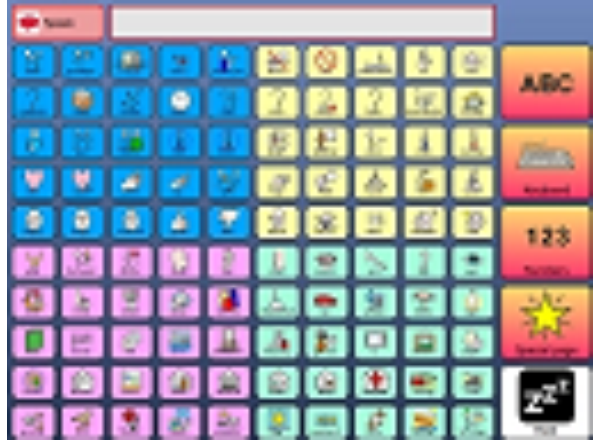
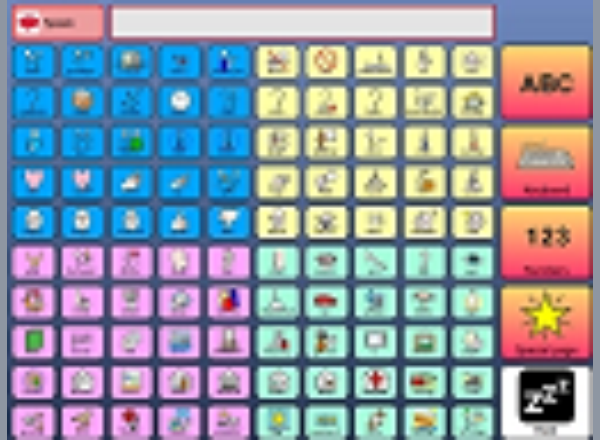
This is a called 100 grids as the main page has 100 vocabulary cells on. It has been designed with an eyegaze user in mind, to try and make access easier. The vocabulary has been broken up into 4 groups when a user picks a certain group they will then jump to a page that will have that vocabulary on. These bigger cells allow easier access for an eyegaze user whilst still allowing them on them home page to see their 100 most common words. The wordlist can be changed to do this go to the 'Home screen shot' grid and go to 'Auto Content' 'Word list for this grid'. You can then edit the word list to suit your needs. Once you have completed your changes go to 'File' 'Save Picture of Grid' (make sure you are in user mode). Then go back to your 'Home page' and select 'Edit grid settings' click on 'Browse For Picture' and select the picture you have just saved, click on OK and now you have your new vocabulary. It might sound complicated but once you try it you will see how easy it really is.
This is a Two hit grid set. It is for for text users who have problems managing the amount of squares needed for a keyboard to appear on one screen. The grid size is 4x3. Original grid set by Lorna Gill from the Ace Centre, adapted by Gemma Eardley from SmartboxAT.
4 x 4 vocabulary designed for dynamic access users such as eye gaze, head pointer and touchscreen users FEATURES: jumps (links) to core vocabulary and starters words in centre column workspace in central row simple colour coding system to aid eye gaze use
This is set of 4x2 grids which allows the user to communicate about a range of everyday events and topics, with a minimal number of selections. The program fills in the additional vocabulary so that what is spoken is usually a normal complete sentence. Probably most suited to teenagers / adults.
The 9 cell access is helpful to people who work more easily with a small number of cells. For an eye gaze user or a touch screen user, this simply means fewer and larger cells. For a switch user, scanning a grid of 9 cells twice gives access to 81 cells in a much shorter scanning time. The StarTalker functions are all included: text communication, email, SMS, web browsing, word processing, media player and address book.
An example "about me" grid. Looks great in Grid Player or The Grid 2. Note that Tommy is a made-up person!
These grids were originally conceived to be used by Registered Intermediaries working with witnesses in police interviews and in court. However they have a much wider application for use in schools and care environments and are useful for describing people as well as events. Each grid is laid as simply as possible. The symbols used are Widgit Literacy Symbols and this set of grids is amended to work on Grid Player
These grids were originally conceived to be used by Registered Intermediaries working with witnesses in police interviews and in court. However they have a much wider application for use in schools and care environments and are useful for describing people as well as events. Each grid is laid as simply as possible. The symbols used are Widgit Literacy Symbols.
This set of grids is designed for switch users. It gives access to most of the drawing capabilities of the AccessMaths program. The grids are designed so that they can be added to another computer access set of grids, but they can be used on their own. The initial grid allows you to start AccessMaths and this passes you on the main tool selection grid. When a tool has been selected you can then draw (or measure) with this tool by either using mouse movement or arrow keys (with set adjustment). Changing colours, a line style etc is possible with small grids that auto-repeat tab or shift tab controls to change pallets. Drawings can be opened and saved. Familiarity with AccessMaths from a keyboard user's point of view is helpful for people assisting switch users to learn how to use this grid set with AccessMaths. AccessMaths is available from the ACE Centre and a 30 day trial version can be downloaded from the ACE Centre web site. www.ace-centre.org.uk
A basic starter bundle from Alan Martin to get someone up and running quickly. This is a really useful bundle which should enable an older teenager or an adult to get started quickly with The Grid 2. It includes much everyday conversation, useful places etc while leaving prepared spaces for personal contact names and such like.
Grid Talk is a communication vocabulary for people who rely on symbols to identify words, but can usually identify the first letter of a word. The front page provides core vocabulary and hundreds more words are one click away.
Small bundle from Will Wade demonstrating use of Grid 2 with Amazon Kindle PC Reader. Download it here: http://www.amazon.com/gp/kindle/pc and buy/download free ebooks from Amazon and you are away. See here for keyboard shortcuts that you can use to extend this grid bundle: http://www.amazon.com/gp/help/customer/display.html?nodeId=200395770#shortcuts
Animal Matching is a simple game where the user has to match the picture to one of the three choices below. Folly Farm grids are a group of grid sets that contain some simple educational games. They are mainly designed to help motivate the user, so they can get use to their form of access may it be switch, eye gaze, head pointer or direct access. Please feel free to edit this grid set so that you have pictures and sounds in the grid that will motivate the user. Anything from pictures of their friends and family; to their favorite football team. Pictures have been kindly supplied by Folly Farm in Pembrokeshire which has a friendly farmyard, zoo, vintage funfair and an imaginative range of adventure play. For more details please go to http://www.folly-farm.co.uk/ These grid sets will only work with version 2.0.4 and above.
A grid bundle of a variety of different keyboards to help people assess which keyboard the user would prefer. In here is ABC keyboards, Frequency keyboards for touch screen and switch users, QWERTY keyboards, and a two hit 6 cell and 8 cell grid.
This is a basic alphabetic grid keyboard from Zoe Robertson who found it really useful for assessments when she was trying to assess peoples access methods e.g. headmouse, joystick etc. Works well with the magnify user setting on. Easy to change colour of cells and size of font as a custom format was set up for this grid. Just thought someone might find it useful.
A fast, efficient symbol communication grid set for people who want to get straight to the point.
This grid uses a wordlist of breakfast food items for saying what you want for breakfast. Words can be added or removed easily! NEW! More words added, including cereal brands!
A one page grid set to allow a user to control a RC Express Brio Train with a TIRA environmental control unit. You can use this with a USB TIRA, as well as with the inbuilt TIRA system in the Tobii C-Series. All the codes are stored on the page and can be added in to the Users own grids. The switch on the underside of the carriage needs to be set to A rather than B for this grid to work. Do not forget to go into your User Settings in The Grid 2 and Auto Detect your TIRA as well.
Calendar grid set designed as a plug-in for the Fast Talker Grid Set. Can also be used as a stand alone calendar application or with any other user in The Grid 2. Fast Talker can be downloaded and used for free from the Online Grids web site. You will also need to download the free Calendar software here - http://downloads.sensorysoftware.com/public/setupCalendarForGrid2enGB.exe
This is a sample user for The Grid 2 calendar. It uses the Program Control workspace and allows users to add, edit and view all their appointments. You will also need to download the free Calendar software here - http://downloads.sensorysoftware.com/public/setupCalendarForGrid2enGB.exe
CALLtalk was designed primarily for school children, but can also be used by adults, if adapted and personalized. CALLtalk is more complex than a ‘beginner’ vocabulary and goes beyond basic functional communication. Users need to understand topic categorization and should be starting to put two or more words together. It is for direct touch screen users, keyguard users, and switch users.
A chat keyboard with prediction and some phrase banks. The phrases are organised into a small selection of catagories, most of which have some pre-programmed phrases. phrases can be added and editted by the by the user.
A simple Chat user with an onscreen ABC keyboard and message banks with some common prestore messages. We have only used 6 of the available 10 message lists so there are spaces to add in your own.
For people who like to talk. Eye gaze version of the Standard UK Grid set.
The popular Chatterbox grid set, optimised for Grid Player.
A gridset for giving stage directions / dance moves, and also recording them from Beaumont College.
It is that time of year again, so here are some Christmas grids to help you celebrate. Christmas Big Picture is a simple game where the user has to decide which picture matches the zoomed in picture above it. This is mainly designed to help motivate the user, so they can get use to their form of access may it be switch, eye gaze, head pointer or direct access. Please feel free to edit this grid set so that you have appropriate pictures and sounds in the grid that will motivate the user. Anything from pictures of their friends and family; to their favourite football team. These grid sets will only work with version 2.0.4 and above, free updates are available. Comments or suggestions about grid sets I have put up here are very welcome, my email address is gemma@smartboxat.com.
It is that time of year again, so here is some Christmas grids to help you celebrate. Our Christmas Cook Book currently has three recipes Mince pies, Cheese Stars, and Peppermint creams. All recipes can be read aloud and are accessible by many forms of access including switch, eye gaze, head pointer or direct access. Please feel free to edit this grid set for different recipes. If you do make a new recipe don't forget to put it up on this website so other people may enjoy the tasty treats too! If there is a recipe you would like us to do for you then please email me the recipe and I can update our grid set and send it out to you. Comments or suggestions about grid sets I have put up here are very welcome, my email address is gemma@smartboxat.com
It is that time of year again, so here is some Christmas grids to help you celebrate. This is a simple game where the user has to count how many objects they can see. A number line has been supplied to help the user pick the right amount. This is mainly designed to help motivate the user, so they can get use to their form of access may it be switch, eye gaze, head pointer or direct access. Please feel free to edit this grid set so that you have appropriate pictures and sounds in the grid that will motivate the user. Anything from pictures of their friends and family; to their favourite football team. Comments or suggestions about grid sets I have put up here are very welcome, my email address is gemma@smartboxat.com.
This wordlist will help users choose what they want for their Christmas dinner and because it has been designed as a wordlist it is easy to add in any extras I may have missed out. If you need help with wordlists then please look at Training card 14 (this can be located in The Grid 2 by going to Help), or you can go to http://answers.sensorysoftware.com/answer126.htm where a wordlist is used to make a photo album. Comments or suggestions about grid sets I have put up here are very welcome, my email address is gemma@smartboxat.com.
It is that time of year again, so here are some Christmas grids to help you celebrate. Christmas find the picture is a very simple game where the user has to help Father Christmas find the hidden presents - to help users with visual scanning. This is mainly designed to help motivate the user, so they can get use to their form of access may it be switch, eye gaze, head pointer or direct access. Please feel free to edit this grid set so that you have appropriate pictures and sounds in the grid that will motivate the user. Anything from pictures of their friends and family; to their favourite football team. These grid sets will only work with version 2.0.4 and above, free updates are available. Comments or suggestions about grid sets I have put up here are very welcome, my email address is gemma@smartboxat.com.
It is that time of year again, so here are some Christmas grids to help you celebrate. Christmas Hide and Seek is a very simple game where the user has to catch the present - to help users with visual scanning. This is mainly designed to help motivate the user, so they can get use to their form of access may it be switch, eye gaze, head pointer or direct access. Please feel free to edit this grid set so that you have appropriate pictures and sounds in the grid that will motivate the user. Anything from pictures of their friends and family; to their favourite football team. These grid sets will only work with version 2.0.4 and above, free updates are available. Comments or suggestions about grid sets I have put up here are very welcome, my email address is gemma@smartboxat.com.
It is that time of year again, so here are some Christmas grids to help you celebrate. Christmas Matching is a simple game where the user has to match the picture to one of the three choices below. This is mainly designed to help motivate the user, so they can get use to their form of access may it be switch, eye gaze, head pointer or direct access. Please feel free to edit this grid set so that you have appropriate pictures and sounds in the grid that will motivate the user. Anything from pictures of their friends and family; to their favourite football team. These grid sets will only work with version 2.0.4 and above, free updates are available. Comments or suggestions about grid sets I have put up here are very welcome, my email address is gemma@smartboxat.com.
It is that time of year again, so here are some Christmas grids to help you celebrate. Christmas odd one out is a simple game where the user has to pick which one of the three pictures is the odd one out. This is mainly designed to help motivate the user, so they can get use to their form of access may it be switch, eye gaze, head pointer or direct access. Please feel free to edit this grid set so that you have appropriate pictures and sounds in the grid that will motivate the user. Anything from pictures of their friends and family; to their favourite football team. These grid sets will only work with version 2.0.4 and above, free updates are available. Comments or suggestions about grid sets I have put up here are very welcome, my email address is gemma@smartboxat.com.
It is that time of year again, so here are some Christmas grids to help you celebrate. Christmas Shadows is a simple game where the user has to match the shadow to one of the three choices below. This is mainly designed to help motivate the user, so they can get use to their form of access may it be switch, eye gaze, head pointer or direct access. Please feel free to edit this grid set so that you have appropriate pictures and sounds in the grid that will motivate the user. Anything from pictures of their friends and family; to their favourite football team. These grid sets will only work with version 2.0.4 and above, free updates are available. Comments or suggestions about grid sets I have put up here are very welcome, my email address is gemma@smartboxat.com.
It is that time of year again, so here are some Christmas grids to help you celebrate. Christmas word matching is a simple game where the user has to match the word to one of the three choices below. This is mainly designed to help motivate the user, so they can get use to their form of access may it be switch, eye gaze, head pointer or direct access. Please feel free to edit this grid set so that you have appropriate pictures and sounds in the grid that will motivate the user. Anything from pictures of their friends and family; to their favourite football team. These grid sets will only work with version 2.0.4 and above, free updates are available. Comments or suggestions about grid sets I have put up here are very welcome, my email address is gemma@smartboxat.com.
When the user selects the correct cell it will disappear gradually revealing a picture. The cells covering the picture are a 3 by 3 grid, so there is 9 answers to select before the user receives their reward. By adding/deleting rows and columns more/less choices can be given to the user. The picture is set as a background. This can be done through 'Edit grid settings' from the bar on the left. (Training card 7) Folly Farm grids are a group of grid sets that contain some simple educational games. They are mainly designed to help motivate the user, so they can get use to their form of access may it be switch, eye gaze, head pointer or direct access. Please feel free to edit this grid set so that you have pictures and sounds in the grid that will motivate the user. Anything from pictures of their friends and family; to their favorite football team. Pictures have been kindly supplied by Folly Farm in Pembrokeshire which has a friendly farmyard, zoo, vintage funfair and an imaginative range of adventure play. For more details please go to http://www.folly-farm.co.uk/ These grid sets will only work with version 2.0.4 and above.
This word bank consists of common and useful words taken from the Dolch list and the updated General Service List (1995). You can use it to find words you need for general writing and communication. From Marion Stanton at www.contactcandle.co.uk
An Alphabetic version of our standard Computer Control grid set.
This is a simple game where the user has to count how many animals they can see. A number line has been supplied to help the user pick the right amount. To create your own cells with more then one symbol in use paint (or another piece of software) to copy and paste the symbol as many times as you need and then use Screen Capture facility in The Grid 2 (Training card 2) to put it into the cell. Folly Farm grids are a group of grid sets that contain some simple educational games. They are mainly designed to help motivate the user, so they can get use to their form of access may it be switch, eye gaze, head pointer or direct access. Please feel free to edit this grid set so that you have pictures and sounds in the grid that will motivate the user. Anything from pictures of their friends and family; to their favorite football team. Pictures have been kindly supplied by Folly Farm in Pembrokeshire which has a friendly farmyard, zoo, vintage funfair and an imaginative range of adventure play. For more details please go to http://www.folly-farm.co.uk/ These grid sets will only work with version 2.0.4 and above
Author: Copyright Margaret Stuart 2006. Illustrator: Copyright Kathryn Wilson 2006. COGAIN have been given permission to use this story with eye control, thanks to Scope and www.childreninthepicture.org.uk
Grid developed to demonstrate some of the key features of the Grid 2 from Zoe Robertson.
Standalone music player grid, with all the basic functions and commands included with a funky backdrop.
Dynamic Screen Starter is a simple communication vocabulary for symbol users. These grids provide a structured starting point for developing a larger, personalised communication system.
Exactly the same as the Widgit symbol version, but with PCS symbols.
Dynamic Screen Starter is a simple communication vocabulary for symbol users. These grids provide a structured starting point for developing a larger, personalised communication system.
Dynamic Screen Starter is a simple communication vocabulary for symbol users. These grids provide a structured starting point for developing a larger, personalised communication system. Adapted to include key Eye gaze features
Dynamic Screen Starter is a simple communication vocabulary for symbol users. These grids provide a structured starting point for developing a larger, personalised communication system.
Dynamic Screen Starter is a simple communication vocabulary for symbol users. These grids provide a structured starting point for developing a larger, personalised communication system. They have been adapted to include key eye gaze support features
Elementary school level vocabulary, mostly 2x4 grids, zoom highlights, contextual pages from Doug Nottingham.
This is a grid set that differentiates one of the modules in KS4 entry level science, from Marion Stanton.
A 2x2 story grid. Author and Illustrator: c Helen Thornhill 2006 with thanks to Scope and www.childreninthepicture.org.uk. Select the small picture to hear the narration, turn the page with the arrow and rest on the text and larger pictures that are interspersed throughout. From COGAIN
This Grid set has been designed as a plug in to provide support for mouse use with either eye gaze or head pointer.
Facebook for The Grid 2 gives users the opportunity to access one of the world’s most popular websites. The grids are very easy to understand and can be used straight away – all you need is a Facebook account. The menu grids are split into four categories (in the same way as the Facebook website) – news feed, friends, profile and messages. Through the simple menu system you can quickly switch between viewing anything on the site, meaning you can go from updating your status to viewing your wall in one quick selection! The Facebook web controls grid provides all the essential tools for navigating each page on the site and is always available. A Facebook keyboard is also included
Fast Talker is a new text communication system for use with The Grid 2. It features our Touch Type text input system that works in a similar way to mobile phone. Fast Talker is suitable for use with literate users and is a very good option for those with access issues and eye gaze users. The grids include a Grid 2 Apps including a music player, email, SMS, Skype and our new web browser. Please note this version of Fast Talker was updated in June 2011 and includes Facebook grids.
Fast Talker 15 cell uses our Touch Type prediction system for typing that works in a similar way to mobile phone predictive text. Music player and word processor are also included. The 15 cell version provides faster text entry for users able to access an increased number of cells.
Fast Talker 9 cell uses our Touch Type prediction system for typing that works in a similar way to mobile phone predictive text. Music player and word processor are also included.
Grids for use with Firefox. This grid has not been checked with the latest version of The Grid 2.
Grid designed for MyTobii user who can only access one column positioned slightly off centre. Could be used as basis for other single column grids. From Zoe Robertson
A simple game where the user has to match the country's name to it's flag.
Flash Card is a simple to use grid set that allows you to: - show a single symbol virtually full screen, use this to train people to use new symbols - just press the flash card button when you find the symbol you want - use next symbol to display your preferred symbol associated with a word or concept - Turn the symbol off and see text only for those moving from symbols to text - use the compound word grid to add symbols to a word list that have more than one word attached to them: traffic light; ice cream; good morning etc.
Grid set up for MyTobii user who can only access four rows in a single column and needed workspace to be visible in the column. Could be used as the basis for other four cell grids. From Zoe Robertson
Grid set up for MyTobii user who can only access four rows in a single column and could manage with workspace on left. Could be used as the basis for other four cell grids. From Zoe Robertson
Hidrex Artwork for Go Talk 20+. For optimal use of the printer, it is recommended to set the Grid positions to: Top 98 mm, Left 3 mm, Width 196 mm, Height 183 mm. Makes it possibe to use Grid 2 for static communikation devices. This is the beginning of a series of artworktemplates. You can use any image and Symbollibrary from the Grid 2
Hidrex Artwork for Go Talk 4+. For optimal use of the printer, it is recommended to set the Grid positions to: Top 96mm, Left 3 mm, Width 200 mm, Height 185 mm. Makes it possibe to use Grid 2 for static communikation devices. This is the beginning of a series of artworktemplates. You can use any image and Symbollibrary from the Grid 2
Hidrex Artwork for Go Talk 9+. For optimal use of the printer, it is recommended to set the Grid positions to: Top 99 mm, Left 3 mm, Width 196 mm, Height 183 mm. Makes it possibe to use Grid 2 for static communikation devices. This is the beginning of a series of artworktemplates. You can use any image and Symbollibrary from the Grid 2
The popular Grid Talk grid set, optimised for Grid Player.
Grid Talk is a communication vocabulary for people who rely on symbols to identify words, but can usually identify the first letter of a word. The front page provides core vocabulary and hundreds more words are one click away.
Grid Talk is a communication vocabulary for people who rely on symbols to identify words, but can usually identify the first letter of a word. The front page provides core vocabulary and hundreds more words are one click away
Grid Talk is a communication vocabulary for people who rely on symbols to identify words, but can usually identify the first letter of a word. The front page provides core vocabulary and hundreds more words are one click away.
A one page user that has some different wordlists for talking about Halloween
A demonstration of the 'halving' (also called scan-direct) method of switch access. From Simon Judge
This grid utilises the Windows 7 tablet input panel to alow the user to handwrite on the screen and have the text read out by the Grid. It was written for a Motion CL900 tablet, but in principal could be used on other Windows tablets that have the handwriting recognition input panel. Set the input panel to dock to the bottom of the screen. The handwriting
A very simple game where the user has to find henry the horse on the screen - to help users with visual scanning. Folly Farm grids are a group of grid sets that contain some simple educational games. They are mainly designed to help motivate the user, so they can get use to their form of access may it be switch, eye gaze, head pointer or direct access. Please feel free to edit this grid set so that you have pictures and sounds in the grid that will motivate the user. Anything from pictures of their friends and family; to their favorite football team. Pictures have been kindly supplied by Folly Farm in Pembrokeshire which has a friendly farmyard, zoo, vintage funfair and an imaginative range of adventure play. For more details please go to http://www.folly-farm.co.uk/ These grid sets will only work with version 2.0.4 and above.
A bit of fun - this is a different take on disambiguation. Each cell contains several letters merged together. Try to spot the letter you want to type, and select that cell. Don't worry if the wrong letter comes up - just carry on with the next letter. When the word you want appears in the text, just press space to accept it.
The Information user outlines the features and grid sets that come with the Grid Player app.
This grid contains musical and film content for eye control practice. From COGAIN
Take control of iTunes through The Grid 2. Note: this grid has not been checked in the latest version of iTunes!
This is a grid bundle which has been set up to do some 'knock knock' jokes and some 'what do you call a' kind of jokes. It uses the phrase linking part of the grid 2 software so if you download it you need to download is as a NEW USER otherwise it will loose the phrase linking contained in the user settings. From Zoe Robertson
This Grid bundle is used by Katherine who is in primary school. She uses a Tobii P10 for computer access, though can also use a head switch some times as well. Katherine usually uses a qwerty based keyboard which started life as Star-talker, though has been tweaked! Katherine needs cells to be as large as possible, and has a "Friday afternoon keyboard" when she is tired. This is based upon the Key 8 keyboard written by Marion Stanton. She is also using some word lists for some of her curriculum topics.
Key 6 has been developed for the teenager/young adult who has at least some basic literacy skills but significant difficulty with access. The layout suits those who: * can use a fist point to accurately select out of six options * can be accurate with linear scan using one or two switches * can select out of six options using the MyTobii eye gaze Key 6 and Key 48 were developed by Marion Stanton. Marion is a special needs teacher and AAC consultant. She works for Communication and Learning Enterprises (CANDLE) who specialise in curriculum and communication. They are based in Yorkshire but provide advice to families, schools, colleges and education authorities across the UK.
There are three on-screen keyboards laid out for children I have worked with who have physical and/or visual difficulties. Two offer symbol prediction (large keyboard and symbol keyboard) the other just word prediction. To change the keyboard change the start keyboard in "edit user"/ startup / start grid. Preview takes the user to grids for saving / finding previous documents / etc.
This grid set is designed to help users navigate the electronic books provided through the free Kindle for PC application. This can be downloaded via Amazon and complements their popular E-Book Reader. books must first be downloaded (pay for, free samples, or free out of copyright books) via the Amazon Kindle website or a number of other sites that can also provide content. This version of the grid set supports version 1.6.1. WARNING please note that Kindle does tend to update regularly and in the past the keyboard shorcuts and program location (where the program installs to) have changed. This would then mean that some minor changes would be required in the Grid. It is possible to turn off the Kindle Automatic updates in; Tools/Options/General and turn off automatic updates.
A gridset making use of the Kindle Reader PC app with accessibility plug-in. As long as you have screen reading software installed, this will function as a self-voicing switch accessible ebook reader. (This gridset automatically launches Texthelp Read and Write Gold, but could easily be modified to launch the free NVDA screen reader). Optimised for switch users. For more info, read the case study on the DART project website: http://dart.beaumontcollege.ac.uk/?p=95
Small bundle from Beaumont College demonstrating use of Grid 2 with Amazon Kindle PC Reader. Download it here: http://www.amazon.com/gp/kindle/pc and buy/download free ebooks from Amazon and you are away. See here for keyboard shortcuts that you can use to extend this grid bundle: http://www.amazon.com/gp/help/customer/display.html?nodeId=200395770#shortcuts
This is a set of activities that are graded in difficulty through 12 steps with a variety of grid designs to assess for best access requirements. Originally designed for assessing the access needs of students on Motor Planning Training programmes this is also a useful resource for classroom assessment. From Marion Stanton
A reworking of the Grid 2 Star Talker classic music player with funky backdrop.
A memory game created by Arcos for users with acquired brain injury For more inforamtion about Arcos go to www.arcos.org.uk/
Grid for use with Microsoft Outlook email program from Bob Gowdie
A simple game based on 'Who Wants to be a Millionaire'. The cells are nice and big to make it easier to access for Eye Gaze Users.
This grid set shows how you can use two switches to do Morse Code in The Grid 2. Note that this requires version 2.7 or later.
Numberpad style grid for use with Firefox's Mouseless Browser add-on, from Andy Banns.
Another version of the Mouseless Browser Grid for use with a split screen monitor, from Andy Banns
Grid set for use with Microsoft Works word processor from Bob Gowdie.
Make some noise with The Grid 2! You can tinkle the ivories on the piano, bash out a solo on the drums, play that guitar loud, or just sing your heart out!
These grids are for making musical sounds. Select a keyboard and then hit the different keys to play a tune. You can also select different instruments. These grids use the new MIDI commands in The Grid 2.3 (if you have an earlier version you can update for free by going to Start > Programs > Sensory Software > Sensory Update).
A simple keyboard with prediction and numbers for beginning writers. Use the sounds like button to help with mis-spellings.
A very simple grid where the user has to choose a cell and when they do it will give a reward of a sound and then jump to a new page. This grid was made in corporation with Dame Hannah Rogers school http://www.damehannah.com/
A page of sports from the Olympics. This is designed to be added to Symbol Talker B. To add to Symbol Talker B, select "Add to existing user" when importing the grid bundle, and select Symbol Talker B. You can then make a jump to the new grid "Olympics" from a suitable location - such as the sports grid. UPDATED - now includes paralympic sports, venues and mascots!
Simplified version of star talker from Simon Judge - based mainly around the use of phrases. Phrases could either be built up by a user previously (e.g. using StarTalker) or simply added by a carer. Includes access to phone and EC too. Setup for simple scanning (with custom blocks set). Version A1.0: Phrase+Phone+EC.
A simple grid designed so a user can play the keys on a piano, and then save their composition, so they can play it back later.
PragTalk is a different approach to vocabulary, intended for very young children. Start by selecting 'good' or 'bad' things to say, and see what options are available.
PragTalk is a different approach to vocabulary, intended for very young children. Start by selecting 'good' or 'bad' things to say, and see what options are available. Adapted to include some eye gaze key functions
This grid set will let you launch some of the Priory Wood games, you will need to download the games from their website for this grid to work. The amount of games you can now download are limited but they can be found at the link below www.priorywoods.middlesbrough.sch.uk Make sure the games are saved in a folder on the C: drive called priory wood - C:\priory wood
A grid that allows the user to save their grid word document into Wordpad.
The "See Sense" picture library is a small collection of symbols that are included with The Grid 2. In the UK, the WLS symbols are included with The Grid 2. In some other countries this is not the case, and the See Sense pictures allow sample symbol communication grids to be created that do not use paid-for symbols (such as WLS or PCS). The 870 symbols cover a variety of topics, such as family, weather, places and transport. You can of course use The Grid 2's built-in image editor to edit pictures, by changing the colours or combining images. Whilst See Sense is excellent for creating example grids, it is not a complete symbol vocabulary and is not inteded for use as a complete communication vocabulary! Remember that The Grid 2 has great support for the WLS and PCS libraries, and can also be used with other symbols, photographs and screen-captured images.
This Grid was developed for simple switch control of Sibelius 5 music composition software. (It's a simplified, adapted version of the 'SmartNav Computer Control' Grid bundle also posted by Drake Music.) Although there are 7 Grids contained in the bundle, we have only used one - 'Sibelius Control 2', which is set as the Home Grid and does not currently link to any of the other grids. The other grids are included in case they are useful for further development. Although this Grid bundle is for Sibelius 5, it should be able to be adapted for more recent versions of Sibelius, as well as for other access methods. Menus & Shortcuts need to be changed in Sibelius for this Grid set-up to work. Set up preferences in Sibelius so that... Menus & shortcuts: set to ‘Notebook (laptop) shortcuts’ to avoid problem of numeric keypad input from the Grid, then create and name a user definable copy of ‘Notebook shortcuts’ to which you need to apply the following changes: • Tuplets: delete keyboard shortcuts for ‘Octopus’ and ‘non-tuplet’ • Selection: change ‘move object up’ to cntrl+8 and ‘move object down’ to control+9. • Menus & shortcuts / Selection: add the following key commands: • Extend selection left: shift + l • Extend selection right: shift +r • Extend selection up: shift + u • Extend selection down: shift +n Dynamics: to change keyboard shortcuts for expression and dynamic marks, go file / preferences / word menus (not menus & shortcuts!) Keyboard shortcuts that I've added: • PP = ctrl + o • FF = ctrl + g • MP = control + m • MF = ctrl + n • file / preferences / word menus: add the following key commands • PP = ctrl + o • FF = ctrl + g • MP = control + m • MF = ctrl + n Once these changes are made, close and then re-open Sibelius to ensure they are saved (and just incase sibelius crashes before the end of the session). If you have any queries, feel free to email dougbott@drakemusic.org
This Grid was developed for SmartNav control of Sibelius 5 music composition software. It should be able to be adapted for more recent versions of Sibelius, as well as for other access methods. Menus & Shortcuts need to be changed in Sibelius for this Grid set-up to work. Set up preferences in Sibelius so that... Menus & shortcuts: set to ‘Notebook (laptop) shortcuts’ to avoid problem of numeric keypad input from the Grid, then create and name a user definable copy of ‘Notebook shortcuts’ to which you need to apply the following changes: • Tuplets: delete keyboard shortcuts for ‘Octopus’ and ‘non-tuplet’ • Selection: change ‘move object up’ to cntrl+8 and ‘move object down’ to control+9. • Menus & shortcuts / Selection: add the following key commands: • Extend selection left: shift + l • Extend selection right: shift +r • Extend selection up: shift + u • Extend selection down: shift +n Dynamics: to change keyboard shortcuts for expression and dynamic marks, go file / preferences / word menus (not menus & shortcuts!) Keyboard shortcuts that I've added: • PP = ctrl + o • FF = ctrl + g • MP = control + m • MF = ctrl + n • file / preferences / word menus: add the following key commands • PP = ctrl + o • FF = ctrl + g • MP = control + m • MF = ctrl + n Once these changes are made, close and then re-open Sibelius to ensure they are saved (and just incase sibelius crashes before the end of the session). If you have any queries feel free to email dougbott@drakemusic.org
A sign language game about animals and colours using the video clips kindly supplied with Seashell.
A grid bundle to allow the User to take pictures and view them without leaving The Grid 2. Compatible with 2.8 and above.
A simplified version of Chat Phrases. A qwerty layout with prediction and a simple phrases page where a message can be added. Phrase editing function have been left out or hidden in this version.
Provides a simple series of screens leading an aphasic user through the process for emailing and texting via symbols, with a page of suggested topics which can be added to. From Karen Lewis
This grid bundle will work with a Windows webcam and is designed for Windows XP users. It is designed to make use of the snapshot command in the Grid 2 and the Windows Photo Gallery. Using Program control the user is able to control photo gallery to view snapshots taken with the Webcam.
Qwerty keyboard, in pale yellow, replicating Grid Mobile layout features six prediction cells and a message mode. Message mode requires buttons (not installed) to save edit and delete stored messages.
A collection of useful low and simple technology resources, aimed at giving you ideas to start using with the Grid 2
This grid set has been designed for users who can only use 6 cells per page. This would be ideal for: Eye gaze Head pointer Small touchscreen devices The start page shows the alphabet divided into 5 groups of letters. Each letter can be typed in 2 hits. You can also access Space and Delete in two hits. Selecting the arrow cell takes you to an options page, which includes access to prediction, numbers, symbols and more actions such as speak and clear.
An add-on grid for Sky Plus Remote Control and Favourites for the TIRA Environment Control Module.
An add-on grid for Sky Plus Remote Control and Favourites for the UIRT Environment Control Module.
This grid is designed by Gareth Jenkins to save on mouse miles whilst using PowerPoint 2003.
The start page has 3 cells across and 2 cells down. There are 3 pages behind '123' numbers: 1) an ABCD, 2) a chat with Mum and 3) a feelings page. From COGAIN
This is a low tech communication book that has been used with eye control. It was created by Helen, her Family, Therapists and Support Workers. From COGAIN
This grid-set is based on a low tech communication book of symbols and text. It also contains two hit typing pages for writing. From COGAIN
A new version of our social networking gridset which includes Twitter, Facebook and Skype and works with the latest version of these social networks as of 21st December 2011. It uses the full version of the websites, rather than just the cut down mobile version. You will need the Firefox web browser: http://www.mozilla.org/en-US/firefox/new/ The grid does not log the user in, this must be done manually the first time - just tick the 'remember me' box In order for the 'My Wall' Facebook cell to work, you will need to edit it to include the unique URL for the user: http://www.facebook.com/yourusernamehere Please Note: Social Networks are known to change the layout, shortcuts and URLS so if this stops working please let us know!
This program control Grid is designed as a plug in for other Grid sets and is designed to launch and control the popular Solitaire game found in all Windows XP and Vista computers.
If you are getting confused how to play sounds and song files through The Grid 2, this grid set steps you through the differnt ways you can do it. Some sound files can be found in: C:\Program Files\Sensory Software\Common\Sounds
Suitable for simple sentence level. Potential to add vocab for more advanced user This grid bundle is for students who have comprehension level of at least three information carrying words. It incorporates the principle of a consistent motor pattern. Words are in the same place if they are repeated on a page. There is a large core vocabulary and I recommend that many are 'hidden' as a user learns the vocabulary. The topic pages have lots of spaces for additional words to be added. You could add a spelling page with word predict to the front page for a more literate user.
Stalk is a small group of grids for instant communication. The grids are a fun way to introduce key concepts such as symbol sentences and jumping between grids.
Stalk is a small group of grids for instant communication. The grids are a fun way to introduce key concepts such as symbol sentences and jumping between grids. This grid uses PCS symbols and is adapted to include some basic Eye gaze support.
Star Talker allows literate users to speak quickly using a keyboard with prediction. Any message can be saved and quickly recalled. You can also send SMS and Email messages from Star Talker.
Star Talker with alphabetical keyboard grids for switch users from Doug Nottingham
An all in one communicator for text users with speech, SMS, email and Skype. It also has a web browser, address book, word processor and environment control.
The ABC version of Star Talker. An all in one communicator for text users with speech, SMS, email and Skype. It also has a web browser, address book, word processor and environment control.
The switch user version of Star Talker. An all in one communicator for text users with speech, SMS, email and Skype. It also has a web browser, address book, word processor and environment control.
From Jodie Parkes: This is an alphabetical version of the most recent Star Talker (with DVD control & Skype) that I created for an MND client to use. Hope you find it useful.
This is a darkened version of the Star Talker grids. The colour scheme has been changed to work with black backgrounds and muted colours. This is ideal for people who are using the computer for very long periods of time. It is also suitable for some eye-gaze users as it can help reduce eye strain during prolonged use.
A reworking of our original Star Talker, designed for use by switch users.
Frequency of use on-screen keyboards are already available for switch users within the Grid 2. This Grid bundle applies these principles for an eye gaze user. Most commonly used letters or functions are in the middle of the keyboard, less common letters and functions are placed around the edge. Where prediction cells would be beneficial, these are in the centre of the keyboard. In principle, this should mean that the user (after they become familiar with the unfamiliar layout!) should have less scanning of the screen to do. Bringing the prediction cells away from the peripheral vision of the user, may also help with the efficient use of prediction, and hence the speed of use. Try it and see! Some eye gaze users also report preferring darker backgrounds and less contrast with cell styles. Simply changing grid background colours and cell styles can help with this. Look at "Star Talker at Night" as an example.
Star Talker allows literate users to speak quickly using a keyboard with prediction. Any message can be saved and quickly recalled. You can also send SMS and Email messages from Star Talker. This adapted version maximises cell sizes for Eye gaze users, as well as offering key eye gaze functions throughout.
Starting Blocks is an exciting grid set for introducing computer-aided communication to young children. Starting Blocks was designed and created by Sally Conner. There are hundreds of grids providing many hours of fun as you progress from very simple interaction through to independent communication. The targeted activities develop core skills, and a clear 'roadmap' makes it easy to see where to go next - and how far you have come! At every step there are a variety of activities, so you can focus on one skill until it is fully mastered, without the tasks becoming repetitive.
Specially written to support the “MANY STORIES ONE VOICE WRITING CONTEST” that is being run by ISAAC (http://www.aacawareness.org/index.htm) this grid set can also be used as a general support to help students to organise their ideas and plan stories. Find out more about our work at www.contactcandle.co.uk or email us at contactcandle@btinternet.com
Symbol Talk A ist eine komplette Symbolkommunikation ideal für den erweiterten Einstieg. Es sind Themseiten zur Eingabe, Schule, häusliches Umfeld und Therapie vorhanden. Gearbeitet wird mit der Symbolsammlung Widgit.
Symbol Talker is a complete vocabulary package for someone who uses symbols to talk. This version uses Widgit symbols.
Symbol Talker is a complete vocabulary package for someone who wishes to use symbols to talk. It has pages to prompt opinions, as well as pages for School, Home and Therapy use.
Symbol Talker is a complete vocabulary package for someone who uses symbols to talk. This version uses Widgit symbols.
Symbol Talker is a complete vocabulary package for someone who wishes to use symbols to talk. It has pages to prompt opinions, as well as pages for School, Home and Therapy use.
A grid to allow a symbol user play music. Also has features for pausing the music, changing volume and stopping the track.
This grid bundle will work with a Windows webcam and is designed for Windows Vista users. It is designed to make use of the snapshot command in the Grid 2 and the Windows Photo Gallery. Using Program control the user is able to control photo gallery to view snapshots taken with the Webcam. This grid bundle will work with a Windows webcam and is designed for Windows Vista users. It is designed to make use of the snapshot command in the Grid 2 and the Windows Photo Gallery. Using Program control the user is able to control photo gallery to view snapshots taken with the Webcam. This could also be adapted to view pictures in other folders, such as the My pictures folder by changing the path of the "run pogram" command on the "view pictures" cell.
This grid bundle takes photos with a Webcam and will allow the user to view snapshots in the Windows Photo gallery This grid bundle will work with a Windows webcam and is designed for Windows XP users. It is designed to make use of the snapshot command in the Grid 2 and the Windows Photo Gallery. Using Program control the user is able to control photo gallery to view snapshots taken with the Webcam. This could also be adapted to view pictures in other folders, such as the My pictures folder by changing the path of the "run pogram" command on the "view pictures" cell.
Talk Together is a unique new way for a child and communication partner to work together. From the very beginning, this innovative vocabulary package encourages your involvement in modelling and supporting a developing vocabulary – all within a highly intuitive set of pages that enables children say what they want. A wealth of on-screen support and ideas are available at the touch of a button at every stage, so there’s no need to constantly refer to the manual! The multilevel page sets place the emphasis on play, activities and having fun - with a stable core vocabulary to use at all five stages!
Talkative is a communication vocabulary for people who rely on symbols to identify words. Common words are displayed on the front page, with links to a wide vocabulary organised by topic. As well as speaking, Talkative can also help you send a text or email, play music or surf the internet, or control your home environment. This (U) version does not contain the grids with adult words.
Talkative is a communication vocabulary for people who rely on symbols to identify words. Common words are displayed on the front page, with links to a wide vocabulary organised by topic. As well as speaking, Talkative can also help you send a text or email, play music or surf the internet, or control your home environment. This (15) version contains grids with adult words.
Talkative is a communication vocabulary for people who rely on symbols to identify words. Common words are displayed on the front page, with links to a wide vocabulary organised by topic. As well as speaking, Talkative can also help you send a text or email, play music or surf the internet, or control your home environment. This version has been adapted with some eye gaze features.
The popular Talkative grid set, optimised for Grid Player.
This is a simple symbol based timetable for use with Grid Player. It is controlled via a word list and has 9 available time slots, each of which can be customised.
Fast text communication. The start grid has core words with smart verbs, and there's a keyboard for spelling out other words.
This user is an example of how you can use visual scenes in The Grid 2. For more visual scenes please look in: C:\Program Files\Sensory Software\Common\Pictures\Dynamic Scene Displays Original grid set put together by Peter Brownlow adapted by Gemma Eardley Smartbox AT
This grid set is aimed at young adults who already have experience of low and/or high tech AAC. Although the grid set is fully supported by symbols, the spelling grid enables users who have some literacy skills to spell out unique words.
This grid set is aimed at young adults who already have experience of low and/or high tech AAC. Although the grid set is fully supported by symbols, the spelling grid enables users who have some literacy skills to spell out unique words. There are two major sections within the Vocabulary for Life grid set. The first section is a set of category based grids e.g. meals, drinks, actions, etc. The second section contains the ‘Vocabulary for Life’ grids that include context specific pre-stored messages. They are designed to be used in specific situations such as ‘at the bank’, ‘eating out’ and ‘personal safety’.
This grid set is for people who have the use of their voice, but have difficulty accessing a computer. This user allows people to control a computer using their own voice. It includes the capability for emails and SMS, internet browsing, word processing and listening to music.
An interactive step-by-step guide to the voice control features in The Grid 2.
Hello, My name is Neil and this is my first contribution to the Online Grids community, so I hope you like it. ------------------Wack a Nose------------------ The game consists of 3 levels where you wack the nose as and when it appears on the screen, the nose will change randomly throughout the game. It could be a hungry nose, a pirate nose or even a wacky nose! Level 1 - When you hit 5 noses you get a funny video Level 2 - When you hit 10 noses you get a funnier video Level 3 - When you hit 15 noses you get a longer funnier video. ------------------Monster Jokes------------------ There are 4 monsterously funny jokes here, the answers are represented as "A" next to the joke itself. These jokes can be changed so you could add your own. ------------------Monster Cook Book------------------ The cook book takes you through step by step to make a monster red nose pizza, each of the steps can be read out.
TheWidgit Literacy Symbols arranged in categories for browsing.
This is a grid to control Windows MediaPlayer11 to play DVDs, from Darren Williamson.
This is a grid set for word processing which also has communication and multiple choice pages on it, from Marion Stanton.
Simple add-on to your wordpower special functions page, to enable users to edit their email and text contact. Bundles contain both updated special functions grid and contact manager
This level is designed for very competent users. It has more core vocabulary on the top page. A keyboard is provided on a separate page. This version uses PCS symbols.
WordPower A is designed for children new to communication aid use and needing to consolidate access methods.
WordPower B is designed for children with good single word vocabulary but new to combining words. It aims to facilitate class participation in a range of activities. Children should have a good access method before moving up to this level. This version uses Widget symbols.
WordPower C is aimed at students needing to broaden their vocabulary and develop their use of sentence structure for more independent communication. This version uses Widget symbols.
WordPower D is aimed at students who wish to use correct syntax and more complete sentences, need to build up speed of communication and who wish to integrate their communication aid use with independent access to other functions such as word processing, internet access.
This level is designed for very competent users. It has more core vocabulary on the top page. A keyboard is provided on a separate page. This version uses PCS symbols.
This level is designed for very competent users. It has more core vocabulary on the top page. A keyboard is provided on a separate page. This version uses Widget symbols.
WordPower A is designed for children new to communication aid use and needing to consolidate access methods. This version uses Widget symbols.
WordPower B is designed for children with good single word vocabulary but new to combining words. It aims to facilitate class participation in a range of activities. Children should have a good access method before moving up to this level. This version uses Widget symbols.
WordPower C is aimed at students needing to broaden their vocabulary and develop their use of sentence structure for more independent communication. This version uses Widget symbols.
WordPower D is aimed at students who wish to use correct syntax and more complete sentences, need to build up speed of communication and who wish to integrate their communication aid use with independent access to other functions such as word processing, internet access.
WordPower Keyboard is designed for very competent users. It has more core vocabulary and a keyboard on the top page. This version uses Widget symbols.
This is a two hit writing grid-set with four cells across and 2 cells down, from COGAIN.
This Grid is designed to demonstrate how a sequence of grids can be used to help write some simple sentences. Each page allows the writer to make a choice from 3 cells, resulting in 3 different sentences. For those of you who have used Clicker 5, it demonstrated a technique similar to "forced order". This means that on each page some cells are not available for selection with whatever access method is being used.
El usuario de actividades agrupa varias tareas para el ocio de forma simplificada, como puede ser la escritura, escuchar música, juegos, ver DVD, fotos,… de acceso sencillo y ágil.
Agilis 7x8. Umfangreiche Symbolkommunikation mit Grammatikfunktion und Wortstrategie: Die Agilis-Strategie ermöglicht eine schnelle und flexible Kommunikation für Kinder und Jugendliche und soll deren kommunikative Möglichkeiten kontinuierlich fördern und erweitern. Das Vokabular wurde explizit für den Kinderbereich entwickelt und orientiert sich an der Sprachentwicklung und Lebenswirklichkeit von Kindern und Jugendlichen. Agilis 7x8 ist selbsterklärend, oft intuitiv und für Außenstehende mit einiger Übung schnell zu bedienen. Nach 60 Tagen muss für die dauerhafte Nutzung eine Lizenz erworben werden.
AgilisPro 6x8 türkis PCS-Autogrammatik Symboloberfläche Beta. Agilis Pro. Umfangreiche Symbolkommunikation mit Grammatikfunktion und Wortstrategie als Erweiterung für fortgeschrittene Nutzer von Agilis 7 x 8. Förderung der Schriftsprachkompetenz über eine sehr effiziente Kombination aus Schritsprach- und Symbolkommunikationsstrategien. Agilis Pro folgt dem bewährten Konzept der Agilis-Strategie und wurde für Nutzer entwickelt, die einen größeren Vokabularumfang benötigen als in Agilis 7 x 8 vorhanden. Das Vokabular der einzelnen Themengebiete wird durch flexible Wortlisten mit Kernvokabularinhalten und schnellen und intelligenten Wortvorhersagefeldern spielend ergänzt. Durch mehrmaliges Klicken auf Unterthemen eröffnet sich deutlich mehr Platz für weiterführendes und fortgeschrittenes Vokabular. Schriftsprachkenntnisse sind für die Nutzung von Agilis Pro nicht erforderlich, sollen aber durch den täglichen Umgang mit dem Raster kontinuierlich gefördert und erweitert werden. Nach 60 Tagen muss für die dauerhafte Nutzung eine Lizenz erworben werden.
Ein kleines Seitenset mit kurzen Beispielen zur Therapie von Menschen mit Aphasie (Sätze ergänzen - gesuchte Wörter finden). Das Raster beinhaltet zwei kleine Übungen als Anregungen für den Therapiealltag. Neue Lernseiten können hinzugefügt werden zur kontinuierlichen Erweiterung des Rasters.
Bavard est un vocabulaire de communication pour les personnes ayant besoin des symboles pour identifier les mots. Les mots courants sont affichés sur la page principale, avec des liens permettant d'accéder à plus de vocabulaire stocké dans des catégories. Bavard permet également un texte ou d'écrire un email, écouter de la musique ou surfer sur internet, ou contrôler votre environnement.
Bavard est un vocabulaire de communication pour les personnes ayant besoin des symboles pour identifier les mots. Les mots courants sont affichés sur la page principale, avec des liens permettant d'accéder à plus de vocabulaire stocké dans des catégories. Bavard permet également un texte ou d'écrire un email, écouter de la musique ou surfer sur internet, ou contrôler votre environnement. Cette version contient des grilles avec du vocabulaire d'adultes.
Busca el animal es un juego simple donde el usuario tiene buscar la coincidencia de la imagen central por una de las tres opciones indicabas en la parte de abajo. Las cuadrículas de "Folly Farm", son un grupo de usuarios de cuadrículas que contienen algunos juegos educativos simples. Estos juegos están diseñados principalmente para ayudar a motivar al usuario, para que se acostumbre a su forma de acceso al ordenador, este método puede ser por conmutador, por mirada, ratón controlado por la cabeza o de acceso directo. Por favor, anímese a editar este conjunto de cuadrículas para que tenga imágenes y sonidos que motive al usuario. Todo vale, desde fotografías de sus amigos y familiares, a su equipo de fútbol favorito. Estas fotografías han sido amablemente cedidas por "Folly Farm" en Pembrokeshire, que tiene una granja amigable, zoológico, vintage parque de atracciones y una gama imaginativa de juegos de aventura. Para más detalles, por favor vaya a http://www.folly-farm.co.uk/ Esta cuadrícula está basada en el original con el mismo nombre de Gemma Eardley.
El usuario del calendario es una plantilla muy sencilla para añadir tareas de calendario de un usuario. Pueden usar sus casillas para marcar sus citas mediante la página de añadir cita asociándole una fecha.
Simple clavier AZERTY incluant les symboles, les chiffres et les touches de fonction.
Cette grille permet de contrôler FireFox. Un clavier AZERTY est fourni.
Este conjunto de cuadrículas está diseñado para crear melodías. Seleccione un teclado y después haga clic en las distintas teclas para tocar una melodía. Es posible seleccionar diferentes instrumentos. Estas cuadrículas utilizan los nuevos comandos MIDI, asegúrate que tienes el The Grid 2 actualizado a la última versión. Todos los programas -> sensory software -> herramientas -> sensory update. (requiere conexión a internet). Esta cuadrícula está basada en el original con el mismo nombre de Sensory Software.
Druckvorlage Go Talk 9+ Diese Druckeinstellungen sind vor dem Drucken einzustellen: oben 99 mm, Links 3 mm, Breite 196 mm, Hohe 183 mm. Hiermit können über Grid2 Druckvorlagen erstellt und angepasst werden, es besteht die Möglichkeit die Druckvorlage auch als dynamische Grundlage zu nutzen. Das anpassen der Bilder ist mit allen Symbolsammlungen möglich wenn diese freigeschaltet sind.
Druckvorlage für den SuperTalker 2x2. Diese Druckeinstellungen sind vor dem Drucken einzustellen: Oben 168 mm, Links 3 mm, Breite 203 mm, Höhe 111 mm. Hiermit können über Grid2 Druckvorlagen erstellt und angepasst werden, es besteht die Möglichkeit die Druckvorlage auch als dynamische Grundlage zu nutzen. Das anpassen der Bilder ist mit allen Symbolsammlungen möglich wenn diese freigeschaltet sind.
Druckvorlage für den SuperTalker 2x4. Diese Druckeinstellungen sind vor dem Drucken einzustellen: Oben 168 mm, Links 3 mm, Breite 203 mm, Höhe 111 mm. Hiermit können über Grid2 Druckvorlagen erstellt und angepasst werden, es besteht die Möglichkeit die Druckvorlage auch als dynamische Grundlage zu nutzen. Das anpassen der Bilder ist mit allen Symbolsammlungen möglich wenn diese freigeschaltet sind.
Druckvorlage für den SuperTalker 1x1 und 1x2. Diese Druckeinstellungen sind vor dem Drucken einzustellen: Oben 168 mm, Links 3 mm, Breite 203 mm, Höhe 111 mm. Hiermit können über Grid2 Druckvorlagen erstellt und angepasst werden, es besteht die Möglichkeit die Druckvorlage auch als dynamische Grundlage zu nutzen. Das anpassen der Bilder ist mit allen Symbolsammlungen möglich wenn diese freigeschaltet sind.
Druckvorlage für Go Talk 20+. Diese Druckeinstellungen sind vor dem Drucken einzustellen: Oben 98mm, Links 3 mm, Breite 196 mm, Höhe 183 mm. Hiermit können über Grid2 Druckvorlagen erstellt und angepasst werden, es besteht die Möglichkeit die Druckvorlage auch als dynamische Grundlage zu nutzen. Das anpassen der Bilder ist mit allen Symbolsammlungen möglich wenn diese freigeschaltet sind.
Druckvorlage für Go Talk 4+. Diese Druckeinstellungen sind vor dem Drucken einzustellen. : Oben 96mm, Links 3mm, Breite 200mm, Höhe 185mm. Hiermit können über Grid2 Druckvorlagen erstellt und angepasst werden, es besteht die Möglichkeit die Druckvorlage auch als dynamische Grundlage zu nutzen. Das anpassen der Bilder ist mit allen Symbolsammlungen möglich wenn diese freigeschaltet sind.
Mediaplayer für MP3 ist ein einfacher Mediaplayer um Mediadateien abzuspielen. Es ist möglich auf einzelnen Button Dateien zu stoppen und auch das Design hierzu mit Symbolen selber zu gestalten.
Paquete de cuadrículas ilustrativo de dos estrategias diferentes para realizar la conjugación verbal en castellano utilizando símbolos con The Grid 2.
FAACt PCS und WLS mit Autogrammatik Symboloberfläche für Fortgeschrittene. Umfangreiche Symbolkommunikation mit Grammatikfunktion und Wortstrategie in Verbindung aller gängigen Kulturtechniken. Förderung oder Wiedererlangung der Schriftsprachkompetenz über eine sehr effiziente Kombination aus Schritsprach- und Symbolkommunikationsstrategien. fAACt folgt dem bewährten Konzept der Kern- und Randvokabularnutzung und wurde für Nutzer entwickelt, die einen größeren Vokabularumfang benötigen als in z.B. den Agilis oder Memoris Strategien. Das Vokabular der einzelnen Themengebiete wird durch flexible Wortlisten mit Kernvokabularinhalten und schnellen und intelligenten Wortvorhersagefeldern spielend ergänzt. Durch mehrmaliges Klicken auf Unterthemen eröffnet sich deutlich mehr Platz für weiterführendes und fortgeschrittenes Vokabular. Schriftsprachkenntnisse sind für die Nutzung von fAACt nicht zwingend erforderlich, werden aber durch den täglichen Umgang mit dem Raster kontinuierlich gefördert und erweitert. Nach 60 Tagen muss für die dauerhafte Nutzung eine Lizenz erworben werden.
Es una cuadrícula para uso conjunto con Facebook, dando a los usuarios un acceso sencillo a su servicio de noticias, buzón de entrada, el perfil y amigos. Tenga en cuenta que se necesita una conexión rápida a Internet para que todas las características funcionen correctamente. Esta cuadrícula está basada en el original con el mismo nombre de Sensory Software.
Sada mřížek pro používání s Facebookem - umožňuje jednoduchý přístup k funkcím Facebooku. Pro správné fungování všech nastavených možností Facebooku je nutné rychlé internetové připojení.
יומן למשתמשי גריד 2 בפורמט של Fast Talker. מאפשר הוספה, עריכה וביטול של פגישות והצגתן בתצוגה חודשית, שבועית, יומית או בתצוגת אירועים קרובים. ניתן לצרף את הלוחות לתוך Fast Talker או להשתמש בו כיישום עצמאי. את הלוח Fast Talker ניתן להוריד מהאצר גריד אונליין. יומן לגריד 2 הוא תוסף לתוכנה (ללא תשלום). ניתן להוריד את תוכנת ההתקנה של היומן מהקישור http://downloads.sensorysoftware.com/public/SetupCalendarForTheGrid2_he_IL.msi
Fast Talker ist ein neues und schnelles Text-Kommunikationssystem für die Verwendung in Grid 2. Es verfügt über unsere Touch Type Texteingabe-System mit Wortvorhersage, das in ähnlicher Weise auf Handys eingesetzt wird. Fast Talker ist für den Einsatz zur Schriftspachnutzung sehr gut geeignet. Ideal auch für Augensteuerungsnutzer. Die Raster sind mit einem Musik-Player, E-Mail, SMS, Skype und unserem neuem Web-Browser ausgestattet.
Jednoduchá mřížka, jejíž pomocí může uživatel hrát na klávesy piána a potom si svou skladbu uložit, aby si ji mohl přehrát i později.
Diese Applikation kann direkt oder mit einem anderen Benutzer in The Grid 2 verwendet werden. Hier haben wir das Raster direk für das Raster Fast Talker angepasst. Das Raster Fast Talker können Sie kostenlos von der Online Grids Webseite herunterladen und benutzen.
Dies ist ein Beispiel Benutzer für den The Grid 2 Kalender. Es nutzt den Programmbedienungsbereich und erlaubt es Termine zu erstellen, zu bearbeiten und Termine anzuzeigen. Sie können es direkt nutzen oder mit einen anderen Raster verknüpfen. Termine und Ereignisse können vorgelesen werden
Komunikační mřížky s poměrně širokým slovníkem, který je třeba personalizovat doplněním jmen osob, názvů míst apod. Součástí je také možnost psaní na klávesnici s predikcí, ovládání základních funkcí Internetu, Facebooku, ovládání přehrávače hudby, mobilu apod.
Busca la sombra es un juego simple donde el usuario tiene buscar la coincidencia de la imagen central por una de las tres opciones indicabas en la parte de abajo. Las cuadrículas de "Folly Farm", son un grupo de usuarios de cuadrículas que contienen algunos juegos educativos simples. Estos juegos están diseñados principalmente para ayudar a motivar al usuario, para que se acostumbre a su forma de acceso al ordenador, este método puede ser por conmutador, por mirada, ratón controlado por la cabeza o de acceso directo. Por favor, anímese a editar este conjunto de cuadrículas para que tenga imágenes y sonidos que motive al usuario. Todo vale, desde fotografías de sus amigos y familiares, a su equipo de fútbol favorito. Esta cuadrícula está basada en el original con el mismo nombre de Gemma Eardley.
Diese Rastervorlage erzeugt die Mausklicks und kann in Verbindung mit einer Augensteuerung oder Kopfmaus genutzt werden.
Soubor velmi jednoduchých mřížek pro malé děti. Nejsou určeny pro komunikaci, ale spíše pro první seznámení s programem a jeho možnostmi. Soubor obsahuje několik básniček, zvuků, zvířátka, barvy, oblečení. Nastavena je zvuková zpětná vazba a jednokrokové skenování pro ovládání spínačem.
Textkommunikation med liknande sätt att välja ord som på mobiltelefoner. Lösningen har större rutor och få sidor, vilket gör att användare som behöver större rutor kan få allt på en sida. Lämplig även för ögonstyrning.
Schnick Schnack Schnuck auf der Kommunikationshilfe?! Ja, das geht! Das Raster ist sowohl für Kinder als auch für Erwachsene geeignet. Es spielen mit: Brunnen, Papier, Schere, Stein und Streichholz. Wer gewinnt, kann in den einzelnen Rastern eingesehen und gesprochen werden. Sie wollen das Streichholz aus dem Spiel weglassen und mit weniger Auswahlmöglichkeiten beginnen? Kein Problem! Nutzen Sie die Funktion "Feld verstecken" und erweitern Sie die Anzahl der Gegenstände kontinuierlich mit den Fortschritten des Nutzers. Viel Spaß beim Spielen!
SimpleText AS ist ein einfaches, textbasiertes Kommunikationsraster für schriftbegabte Eyegaze User. SimpleText AS besteht aus einem ABCD Keyboard mit Wortvorhersage und einfacher Textverarbeitung. Texte können (einfach) formatiert, sowie gespeichert und ausgedruckt werden.
Star Talker permite a los usuarios que pueden leer y escribir comunicarse rápidamente utilizando un teclado con texto predictivo. Cualquier mensaje puede guardarse y recuperarse al instante. Con Star Talker también puede enviar mensajes SMS y de Email, o mantener conversaciones por Skype.
Mit Star Talker können professionelle Nutzer eine schnelle Kommunikation über die Tastatur mit Wortvorhersage führen. Einige Nachrichten können gespeichert und schnell wieder abgerufen werden. Mit Star Talker ist es möglich, SMS und email zu empfangen und zu senden.
Symbol Talk A ist eine komplette Symbolkommunikation ideal für den erweiterten Einstieg. Es sind Themseiten zur Eingabe, Schule, häusliches Umfeld und Therapie vorhanden. Gearbeitet wird mit der Symbolsammlung Widgit.
Symbol Talk B (Gramm.) ist eine vollständige Symbolkommunikationsstrategie mit Anfängen ohne Autogrammatik.Sie beinhaltet schnelle direkte Möglichkeiten zum Mitteilen von Aussagen im Bereich Schule, Zuhause und Alltagsaussagen.Symbol Talk Pro mit Autogrammatik ist als geschütztes Raster erhältlich
Tablero para usuario con daño cerebral, grave dificultad visual y auditiva. Acceso mediante tablet pc con cobertor de metacrilato, debido a su dificultad motriz. Tablero alfabético configurado por Begoña Lloréns: "El orden de las letras, no es exactamente ABC, pues éste usuario estaba acostumbrado a comunicarse mediante un papel donde las letras estaban colocadas por orden alfabético exceptuando las vocales, por ser de mayor frecuencia de uso, para localizarlas más rápidamente en el papel. La familia solicitó que se mantuviera el mismo orden. Es necesario valorar siempre el modo de acceso que se ha utilizado hasta el momento, y si era funcional para el usuario, intentar mantenerlo."
TextTalker wurde für den Einsatz mit Grid Player entwickelt und enthält eine Kopier- und Zwischenspeicherfunktion für eine einfache Einbindung in Facebook, Twitter und andere Apps.Es ist ein Text basierendes Kommunikationssystem für Schriftsprachnutzer. Zum Text Talker gehören eine Wortvorhersage und vorgefertigte Aussagen.
Textkommunikation med SMS och Fraser. Brukaren kan själv lägga till fraser. Det är en kommunikationslösning för mindre apparater. Enkelt att lägga in fler funktioner om så önskas.
TextTalker AS basiert auf dem TextTalker von Hidrex Reha. Das Raster- Set wurde für die Benutzung mit einer Augensteuerung angepasst. Es ist ein textbasierendes Kommunikationssystem für Schriftsprachnutzer. Zum Text Talker gehören eine Wortvorhersage und vorgefertigte Aussagen, sowie Themenfelder, die dem Nutzer die möglichkeit bieten, selbst geschriebgene Phrasen abzuspeichern und ein Benutzerauswahlraster für den schnellen Wechsel der Kommunikationsstrategie.
Dies ist ein Benutzerraster mit dem die Benutzer ihre Lieblingsvideos abspielen können.
Ein Gridraster für die Nutzung von Windows Live Messenger.
Velmi jednoduchá mřížka, kde uživatel musí vybrat buňku s obrázkem zvířátka. Odměnou je příslušný zvuk.Pomocí těchto mřížek je možno provádět nácvik skenování -zvukový popis každé buňky při tom může pomoci. Mřížky byly upraveny z anglické verze vytvořené ve škole Dame Hannah Rogers http://www.damehannah.com/
מארז דפים שמאפשר לנגן בכלי נגינה שונים מבוסס על הלוח Music Maker של חברת Sensory Software.
משתמש זה הינו תוסף ללוחות תקשורת - מבוססי טקסט או סמלים - המאפשר משלוח טקסט שנרשם בלוחות התקשורת הרגילים של המשתמש (שיכולים כאמור להכיל סמלים). הלוח עושה שימשו בתיבת מייל רגילה שמוגדרת בשרת דוא"ל כלשהו (עדיף בג'ימייל). הלוח מאפשר משלוח דואר וקריאת דואר נכנס. לשילוב הלוח בתוך לוחות קיימים, יבא את מארז הדפים לתוך המשתמש הקיים ועבור לדף "דואר אלקטרוני מלוח תקשורת-התחלה" לקריאת ההוראות.
לוחות אלו מיועדים למשתמשים הנעזרים בסמלים לבחירת המילה, אך יכולים להקליד את האות הראשונה של המילה. דף הפתיחה מכיל את המילים השימושיות. לבחירת מילים אחרות המשתמש בוחר את האות הראשונה ועובר לדף בו עם כל המילים שמתחילות באות זו.
לוח המאפשר לשחק במשחק "המלך אמר". מבוסס על הלוח Simon Says של חברת Sensory Software.
מערכת לוחות ראשונית ופשוטה באמצעותה מכיר הילד את השימוש במחשב לצרכי תקשורת. הלוח מכיל מסרים בסיסיים המאפשרים תקשורת ראשונית ומעודדים יצירת משפטים ראשוניים בצורה של תרשים זרימה המערכת כוללת 16 לוחות עם 9 מסרים בכול לוח, ומאורגנת לפי כוונות תקשורתיות והקשרים יומיומיים אנו ממליצים להתייעץ בקלינאי/ת תקשורת מומחה לתקשורת תומכת וחליפית לצורך בחירת הרמה המתאימה
משחק פשוט של התאמת תמונות - על המשתמש לבחור את שתי התמונות הזהות בכל דף (לא משנה באיזה סדר) ואז התוכנה מעבירה אותו ללוח הבא. הדוגמא מכילה דפים ברמת מורכבות עולה ובסיומו זוכה המשתשמש למחיאות כפיים סוערות. מי שמעוניין לבנות לוח דומה, ולא רוצה להתעמק ב"איך לעשות את זה" יכול להוריד את מארז הדפים "התאמת תמונות - תבנית" המכיל 10 שלבים מוכנים בהם צריך לשלב את התמונות המתאימות ואת התמונות הלא מתאימות. מבוסס על הלוח Match the Picture של חברת Sensory Software.
משחק פשוט של התאמת תמונות - על המשתמש לבחור את שתי התמונות הזהות בכל דף (לא משנה באיזה סדר) ואז התוכנה מעבירה אותו ללוח הבא. הלוח "התאמת תמונות - תבנית" המכיל 10 שלבים מוכנים בהם צריך לשלב את התמונות המתאימות ואת התמונות הלא מתאימות. מבוסס על הלוח Match the Picture של חברת Sensory Software.
יומן למשתמשי גריד 2. מאפשר הוספה, עריכה וביטול של פגישות והצגתן בתצוגה חודשית, שבועית, יומית או בתצוגת אירועים קרובים. יומן לגריד 2 הוא תוסף לתוכנה (ללא תשלום). ניתן להוריד את תוכנת ההתקנה של היומן מהקישור http://downloads.sensorysoftware.com/public/SetupCalendarForTheGrid2_he_IL.msi
לוחות די-בור - מסמכי סמלים לוח המאפשר יצירת וניהול מסמכי סמלים. מאפשר כתיבה ושמירה של: 1. סיפורים 2. מכתבים 3. סדר יום ורשימות אחרות 4. משפטים ומסרים מעניינים הלוח מיועד לשילוב בתוך לוח התקשורת הרגיל של המשתמש. קובץ עם הוראות התאמה ניתן להוריד מהקישור http://www.livecity.co.il/image/users/83585/ftp/my_files/grids%20online/D-bur%20Symbols%20Documents.pdf?id=8894476
ארבע פעילויות לשעות הפנאי: 1. צפיה בתמונות 2. צפיה בסרטונים 3. צפיה במצגות 4. לוח תמונות ל"סיפור חוויה" ניתן לקשר את הדפים לספריות עם תמונות, לסירטונים ולמצגות בהתאם לצורך קובץ עם הוראות התאמה ניתן להוריד מהקישור http://www.livecity.co.il/image/users/83585/ftp/my_files/grids%20online/D-bur%20Fun%20Activities.pdf?id=8891579 Power Point Viewer 2003 על מנת לאפשר הצגת מצגות, מומלץ להתקין את תוכנת :קישור להורדה http://www.livecity.co.il/image/users/83585/ftp/my_files/grids%20online/D-bur%20Fun%20Activities.pdf?id=8894472
לוחות תקשורת ברמה שפתית תקשורתית מדורגת - החל מלוחות שמתאימים למי שרק מתחיל את השימוש בתת"ח ועד למשתמשים שנמצאים על סף רכישת יכולת קריאה וכתיבה. הלוחות הם פיתוח משותף של מרכז אומר לתקשורת תומכת וחליפית וטכנולוגיה מסייעת ושל חברת די-בור. אנו ממליצים להתייעץ בקלינאי/ת תקשורת מומחה לתקשורת תומכת וחליפית לצורך בחירת הרמה המתאימה רמה א' של הלוחות הינה לשימוש חופשי וניתנת להורדה מהאתר. רמות ב'-ה' דורשות רישיון שימוש בתשלום. ניתן לקבל את הלוחות המלאים להתנסות של 60 ימים ללא כל התחייבות. המעוניינים לקבל את הלוחות נא לפנות לחברת די-בור
מקלדת הקלדה מהירה Touch Type עם סידור אותיות בהתאם לשכיחות האותיות. הסידור המיוחד מגדיל את הסיכוי ל"ניחוש" נכון של המילה המוקלדת על ידי המשתמש. אם התוכנה לא מצליחה לנחש את המילה המוקלדת, ניתן לעבור למקלדת רגילה לכתיבת המילה הנכונה.
משחק לתרגול הסריקה עם מתגים בגריד. סביבות שונות וצלילים המאפיינים אותן. ניתל להפעיל את המשחק גם עם משוב שמיעתי. לקבלת ההקלטות הנדרשות לשימוש במשוב שמיעתי ניתן לפנות לדרורית במייל lazardrorit@gmail.com או ליוסי בלום במייל yoss@d-bur.com
מקלדת TouchType להקלדה מהירה. אם המילה אינה קיימת על ידי "מילון הניחוש", ניתן לעבור ללוח עם מקלדת רגילה להקלדת המילה.
מקלדת בסיסית לכתיבה ודיבור. כוללת אותיות בעברית, אותיות באגלית, ספרות וסימנים. ניתן לשלב את המקלדת בתוך יישומים קיימים.
מקלדת סמלים בה האותיות מסודרות לפי סדר האותיות - לאחר הקלדת המילה התוכנה מוסיפה את הסמל באיזור העבודה. באפשרות המשתמש לשנות את הסמל הנבחר או לבחור להציג את המילה ללא סמל. עוד מכילה המקלדת את סימני הניקוד ותאים יוחדים לתחיליות של העברית.
מקלדת סמלים בה האותיות מסודרות לפי הסדר של מקלדת רגילה - לאחר הקלדת המילה התוכנה מוסיפה את הסמל באיזור העבודה. באפשרות המשתמש לשנות את הסמל הנבחר או לבחור להציג את המילה ללא סמל. עוד מכילה המקלדת את סימני הניקוד ותאים יוחדים לתחיליות של העברית.
מקלדת פונולוגית הינה מקלדת מיוחדת המותאמת לשלבים של רכישת קריאה וכתיבה. כאשר המשתמש בוחר באות מסויימת התוכנה מציגה לו את הצלילים השונים האפשריים לאות אות - קמץ, סגול, חיריק,חולם, שורוק וצליל ללא תנועה (שווא). בצורה זו יכול המשתמש לכתוב מילה המפורקת להברות ולשמוע אותה מחולקת להברות. על מנת לפשט את השימוש במקלדת, אין הפרדה בין צלילים הנשמעים אותו הדבר (קמץ ופתח, סגול וצירה וכד'). לוח זה הוא חלק מסדרה של לוחות מקלדת פונולוגית בקול. הסדרה מכילה ארבעה טיפוסים שונים: 1. לוח בקול של בת עם סידור מקלדת רגילה 2. לוח בקול בן עם סידור מקלדת רגילה 3. לוח בקול של בת עם סידור האותיות לפי סדר הא-ב 4. לוח בקול של בן עם סידור האותיות לפי סדר הא-ב למציאת המקלדות השונות ניתן לחפש לפי צירוף המילים מקלדת פונולוגית.
משתמש סמלים עם אירגון לוחות לפי קטגוריות. תפריט קבוע בצד ימין מאפשר גישה מהירה לכל לוח. שורת הכותרת של כל דף מכילה מילים קבועות.
לוחות שליטה במחשב להפעלת תוכנות שונות - אינטרנט אקספלורר,מייקרוסופט וורד ועוד. מיועדים לשימוש על ידי סריקה עם מתגים. הלוחות מכילים מקלדת מלאה עם כל האפשרויות, כלים לשליטה בעכבר, כלים לניהול תפריט וספריה ועוד. הלוחות מותאמים לסביבת חלונות 7, אינטרנט אקספלורר 7 ואופיס 2007. לעבודה בסביבה שונה יתכן וידרשו מספר שינויים. ********** חשוב!!!!!! להפעלה תקינה של הלוחות נדרש כי שפת ברירת המחדל של המקלדת תהיה עברית. בעבודה באנגלית או בשפות אחרות חלק מהפונקציות לא תפעלנה באופן תקין. מבוסס על הלוח Computer Control של חברת Sensory Software.
מערכת לוחות בעיצוב נעים ומודרני המיועדת למשתמשים יודעי קרוא וכתוב. בנוסף ללוח שיחה יכול המשתמש לגלוש באינטרנט, לשלוח ולקבל מיסרונים ודואר אלקטרוני, לערוך מסמכים ולשמוע מוסיקה. הלוח מכיל גם אוסף דפים לגלישה בפייסבוק - סביבה פשוטה המיועדת לטלפונים ניידים Facebook Mobile זו הגירסא הראשונה של הלוחות. אשמח לשמוע הערות ולקבל הצעות לשיפורים. מבוסס על הלוח Fast Talker של חברת Sensory Software.
לוחות דיבור מובנים המתאימים לילדים צעירים המתחילים להשתמש בתקשורת חלופית. הלוחות מאפשרים לילד לדבר על נושאים הקרובים לליבו תוך הפרדה בין דברים "טובים" לדברים "רעים".
מערכת לוחות לשימוש בפייסבוק. מיועדת לשימוש עם מסך מגע, סריקה ומערכות מיקוד מבט. הלוחות עושים שימוש באתר פייסבוק המיועד לטלפונים סלולרים ומערכות נידות והוא פשוט יותר לניטטו מהאתר הרגיל של פייסבוק. חלק מהפונקציות בלוחות פועלות באופן מלא רק כאשר דף הפייסבוק מכיל מספיק מידע. בשלבים ראשוניים יתכן וחלק מהתאים יפעלו באופן חלקי. זו גירסא ראשונה של המשתמש. אשמח לשמוע הערות ולקבל הצעות לשיפורים. מבוסס על הלוח Facebook של חברת Sensory Software.
מערכת דיבור בסיסית ביותר למשתמש סמלים מתחיל - מאפשרת למשתמש להכיר ולהבין כי לוחות המחשב יכולים לשמש לתקשורת עם הסביבה. הלוח מדגים קישור משפט שלם לסמל בודד.
מערכת דיבור בסיסית למשתמש סמלים. המערכת מכילה תבנית בסיסית הניתנת להתאמה ולהרחבה לצרכים של משתמש מסויים. המערכת מכילה לוחות דיבור, "לוחות כיף" ומקלדת.
אוסף לוחות עם פעילויות חביבות בנושאי מוסיקה - לנגן בפסנתר, לנגן בתופים ועוד. ניתן להפעיל את הלוחות עם מגע, עכבר ומתגים. הלוחות בנויים מתמונת רקע שמעליה תאים שקופים. מבוסס על הלוח Music Magic של חברת Sensory Software.
גירסא חדשה של המשתמש "שירותי מחשב" הכוללת מתיחת פנים עיצובית ואירגון נכון יותר של שירותי המחשב השונים. שירותי מחשב 2 מאפשר למשתמש יודע קרוא וכתוב לדבר באמצעות הקלדת אותיות ומילים תוך שימוש ביכולות החיזוי של המערכת. בנוסף מיושמים שירותי המחשב השונים כולל דפדפן, דואר אלקטרוני, מעבד תמלילים ונגן מוסיקה. אשמח לקבל הערות והצעות לשיפורים. מבוסס על הלוח Star Talker של חברת Sensory Software.
תבנית ריקה בעיצוב של די-בור - צבעים פסטליים נעימים לעין. ליצירת משתמש חדש בתבנית זו, שכפל/י את המשתמש "תבנית עיצוב" והשתמש/י במשתמש המשוכפל לבניית הלוחות החדשים.
יישום זה מדגים שליטה בתוכנות מחשב אחרות - היישום כולל מקלדת וירטואלית, שליטה בעכבר ושליטה בחלונות. כמו כן כולל דפים ייעודיים לתוכנות כגון וורד, אקסל ןמסנג'ר.